Components

An entity is a name and a place in the world. Everything else it is or does comes from its components: a mesh to draw, a light, a body for physics, a sound. Add one with Add component at the bottom of the inspector, and take one off with the ... in its header.

Every picture on this page is the editor with an entity of the test scene selected, so the component is open in the inspector on the right.

GroupComponents
Every entityTransform
DrawingCamera, Mesh Renderer, Sky
LightDirectional Light, Point Light, Spot Light
PhysicsRigidbody, Box Collider, Sphere Collider, Capsule Collider, Mesh Collider, Joint, Character Controller
SoundAudio Source, Audio Listener
AnimationSkinned Mesh Renderer, Animator
EffectsParticle System, Text
Screen UIUI Canvas, UI Element
CodeScripts

Transform

Every entity has one, and it cannot be removed. It is where the entity is, relative to its parent in the hierarchy, or to the world for an entity at the top.

FieldWhat it is
PositionWhere it is, in units. One unit is about a metre. Y is up
RotationHow it is turned about each axis, in degrees
ScaleHow much it is stretched along each axis. 1 is as made

A child follows its parent's transform. Drag the gizmo in the viewport to change these by hand.

Camera

What the game is seen through. The scene draws from the first camera marked Primary. A camera looks down its entity's -Z axis, with +Y up.
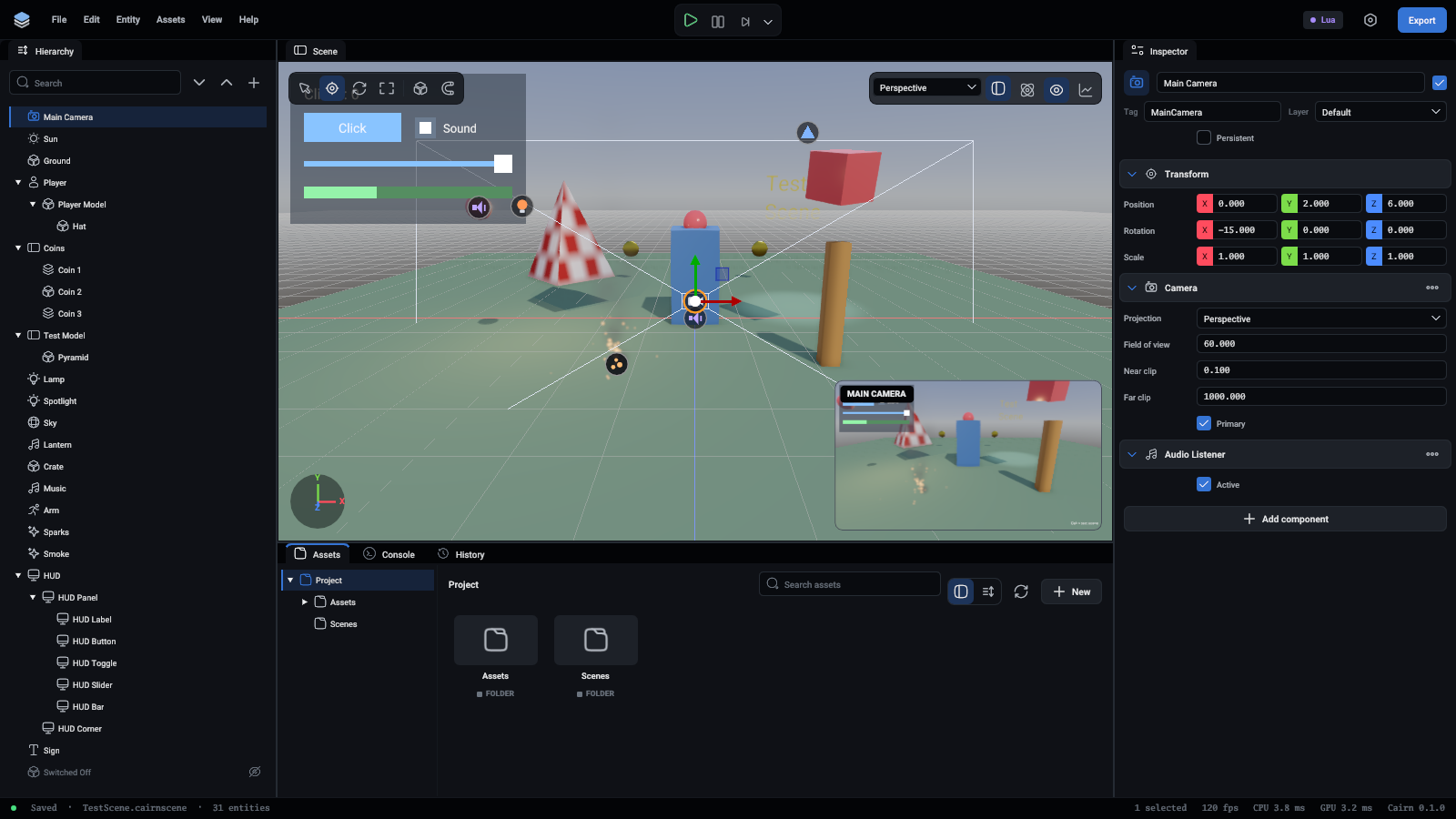
The main camera selected, with what it sees in the corner

FieldWhat it is
ProjectionPerspective, where far things look smaller, or Orthographic, where they do not
Field of viewHow wide it sees, top to bottom, in degrees. Perspective only
SizeHow tall the view is, in units. Orthographic only
Near clip, Far clipNothing nearer or farther than these distances is drawn
PrimaryThe camera the game is seen through

More in Cameras.

Mesh renderer

Draws a mesh: a built-in Cube, Sphere or Plane, or a mesh from a model you imported.
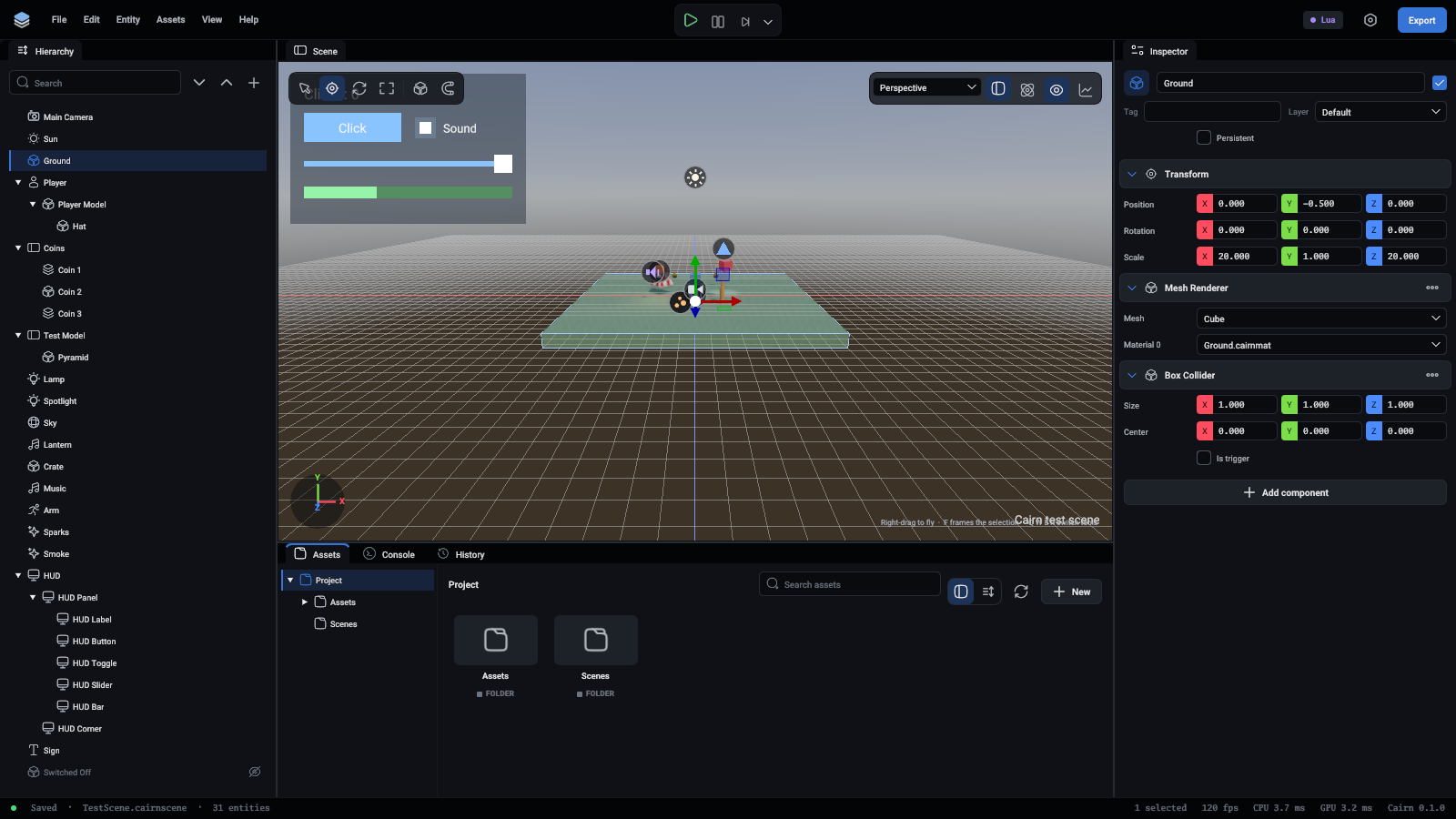
The ground selected: a plane with a mesh renderer and a box collider

FieldWhat it is
MeshThe shape to draw
Material 0, Material 1...One material for each part of the mesh. An empty slot draws with the default material

Materials are made in the Assets panel and edited in the inspector.

Sky

An HDR picture of the world all round, drawn behind everything. It also lights the scene: the sky's colours fall on every surface, and shiny things reflect it. The scene uses the first sky it finds, and where its entity stands does not matter.
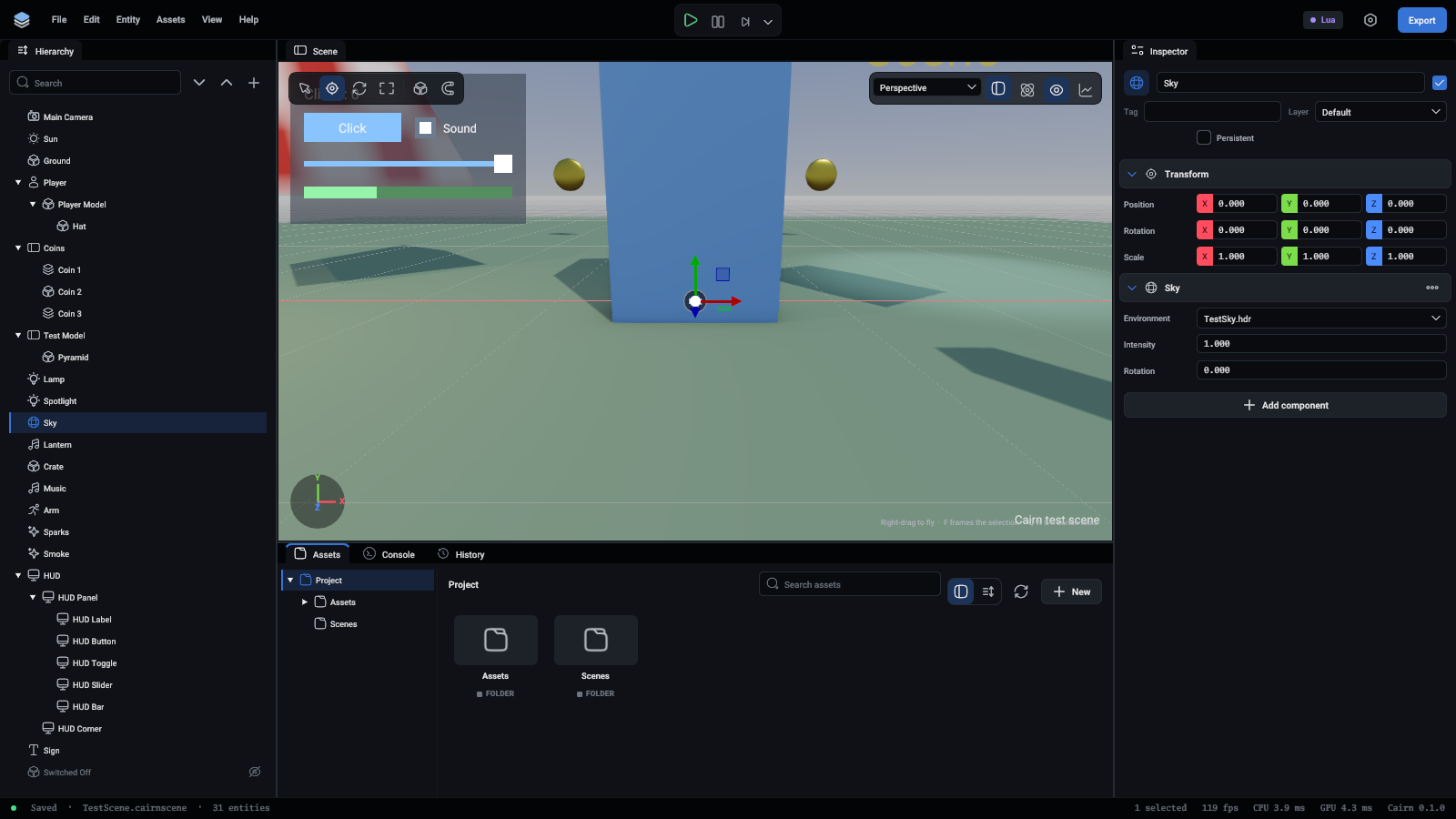
The sky selected

FieldWhat it is
EnvironmentAn .hdr picture, the kind made to wrap round a sphere. Free ones are on Poly Haven
IntensityHow strongly it lights the scene
RotationTurns the sky about the vertical axis, in degrees, to put its sun where you want it

More in Rendering.

Directional light

Light from far away that falls the same way everywhere, as sunlight does. It shines down its entity's -Z axis, so turning the entity moves the sun.
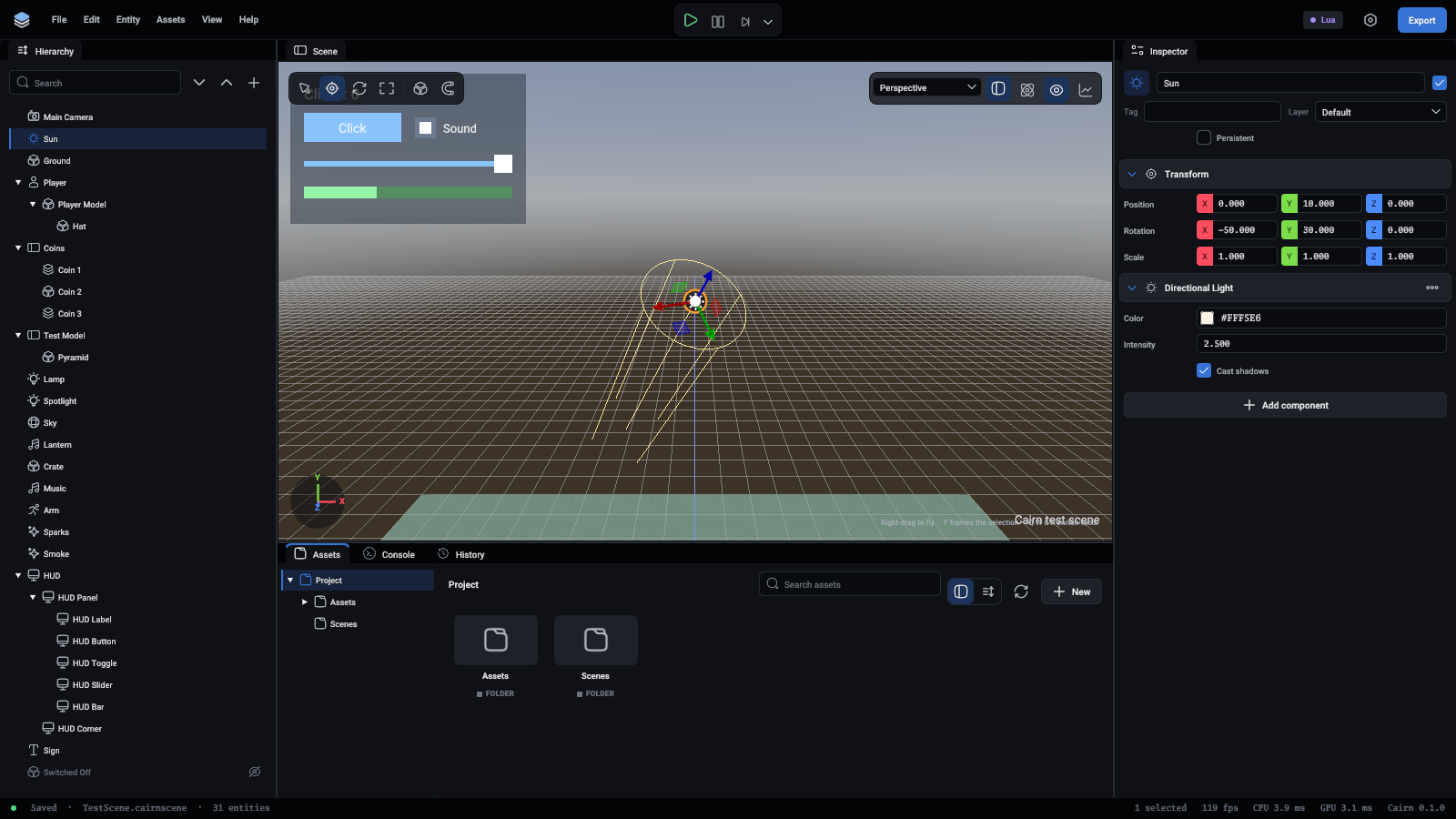
The sun selected, its rays drawn the way it shines

FieldWhat it is
ColourThe light's colour
IntensityHow bright. 3 is a bright day
Cast shadowsWhether things block it. Only the first directional light with shadows has them

Point light

Light that shines every way from a point, as a bulb does.
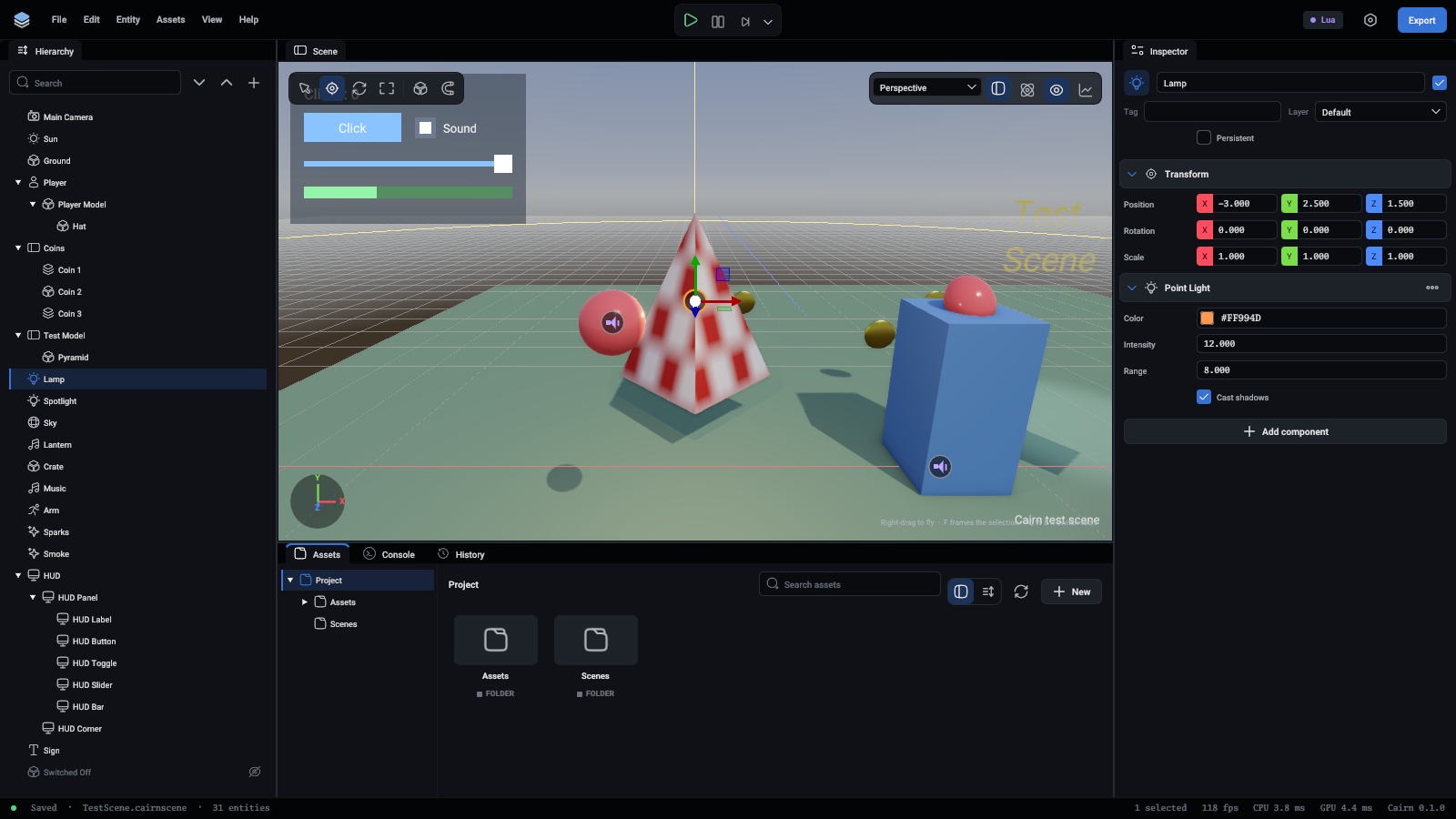
The lamp selected, with a sphere as far as its light reaches

FieldWhat it is
Colour, IntensityAs for a directional light
RangeHow far it reaches. It fades smoothly to nothing there
Cast shadowsOff at first, since a point light's shadow costs six pictures a frame

Spot light

A cone of light down its entity's -Z axis, as a torch or a stage light makes.
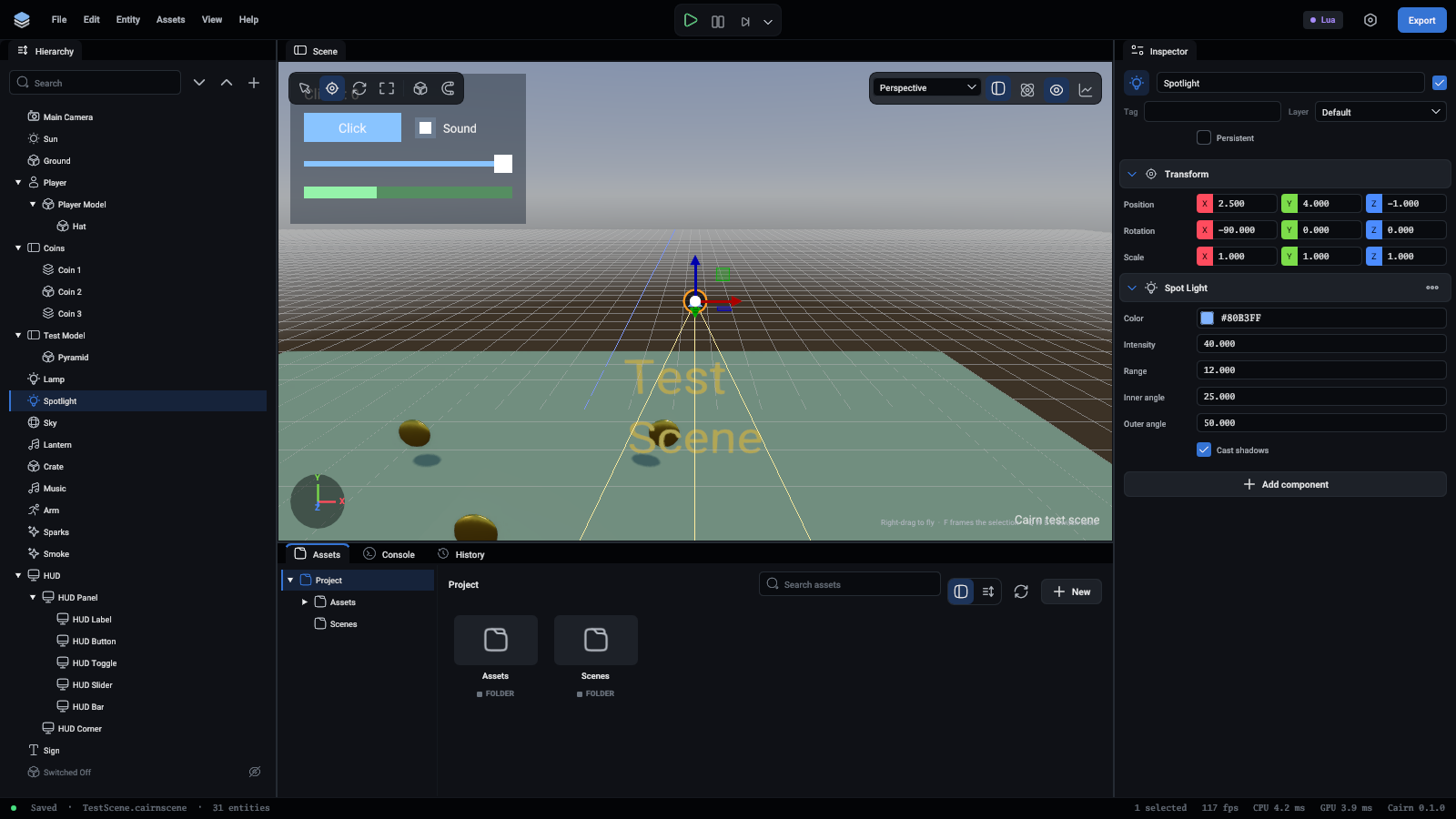
The spotlight selected, with its cone drawn

FieldWhat it is
Colour, Intensity, RangeAs for a point light
Inner angleInside this cone the light is at full strength, in degrees across
Outer angleIt fades from the inner cone to nothing at this one
Cast shadowsOff at first

A scene can have 16 lights in view at once. Twelve shadow maps are shared by point and spot lights: a spot light takes one and a point light six. More in Lights.

Rigidbody

Makes the entity a physics body. Its shape comes from the collider components on the same entity: without one it has no shape and touches nothing.
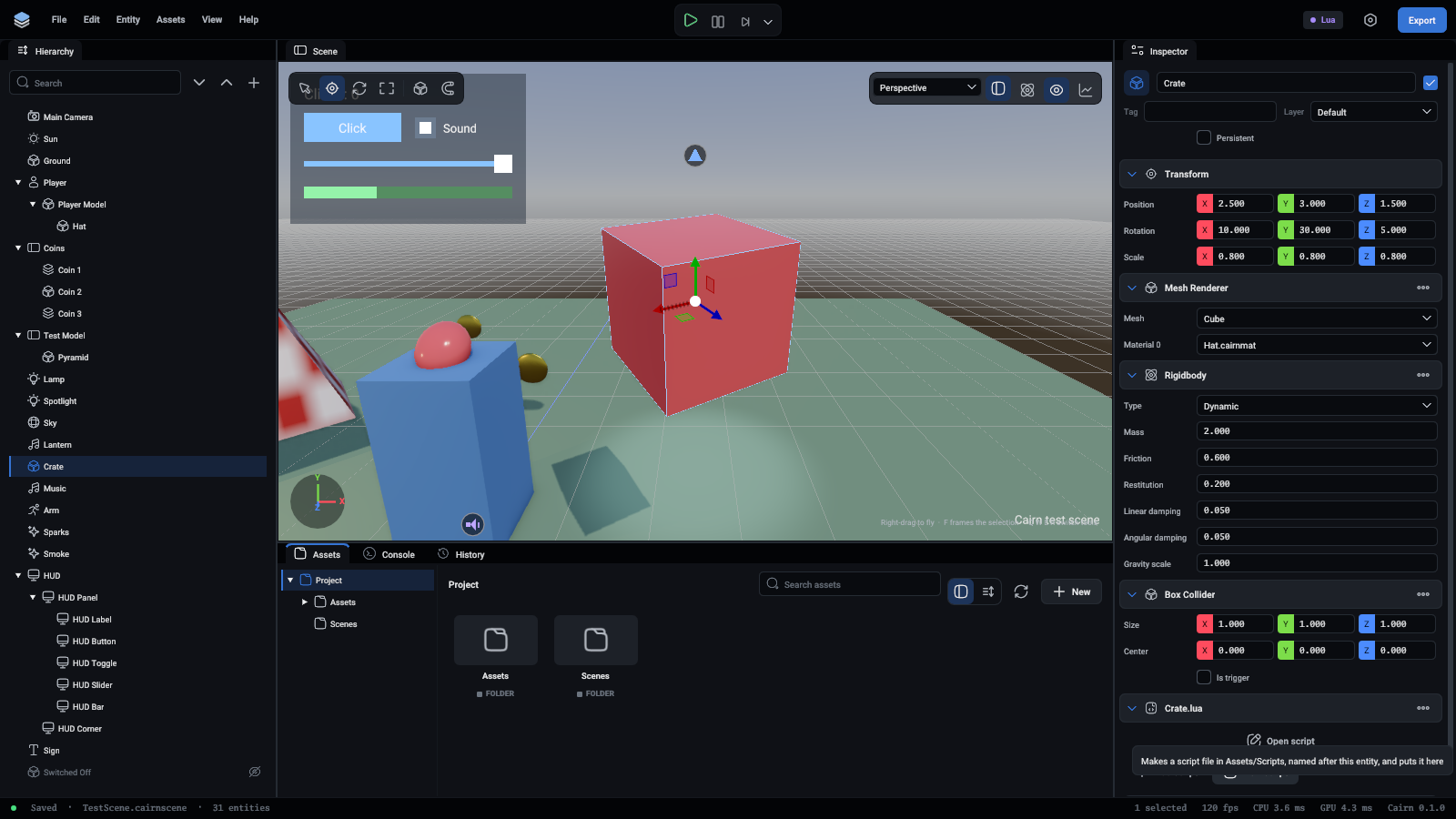
A crate with a rigidbody, a box collider and a script

FieldWhat it is
TypeStatic never moves, and others bump into it. Dynamic is moved by gravity and by whatever hits it. Kinematic is moved by its transform, from a script or an animation, and pushes dynamic bodies without being pushed back
MassIn kilograms. Dynamic bodies only
Friction0 is ice, 1 is rubber on concrete
RestitutionBounciness. 0 does not bounce, 1 bounces back to where it fell from
Linear damping, Angular dampingHow quickly moving and spinning die away on their own
Gravity scaleHow much gravity pulls on it. 0 floats

An entity with a collider and no rigidbody is a static body, which is all a wall or a floor needs. More in Rigid bodies.

Box, sphere and capsule colliders

The shape of a physics body, as a simple solid. Several colliders on one entity make one shape together. Sizes are in the entity's own units and follow its scale.
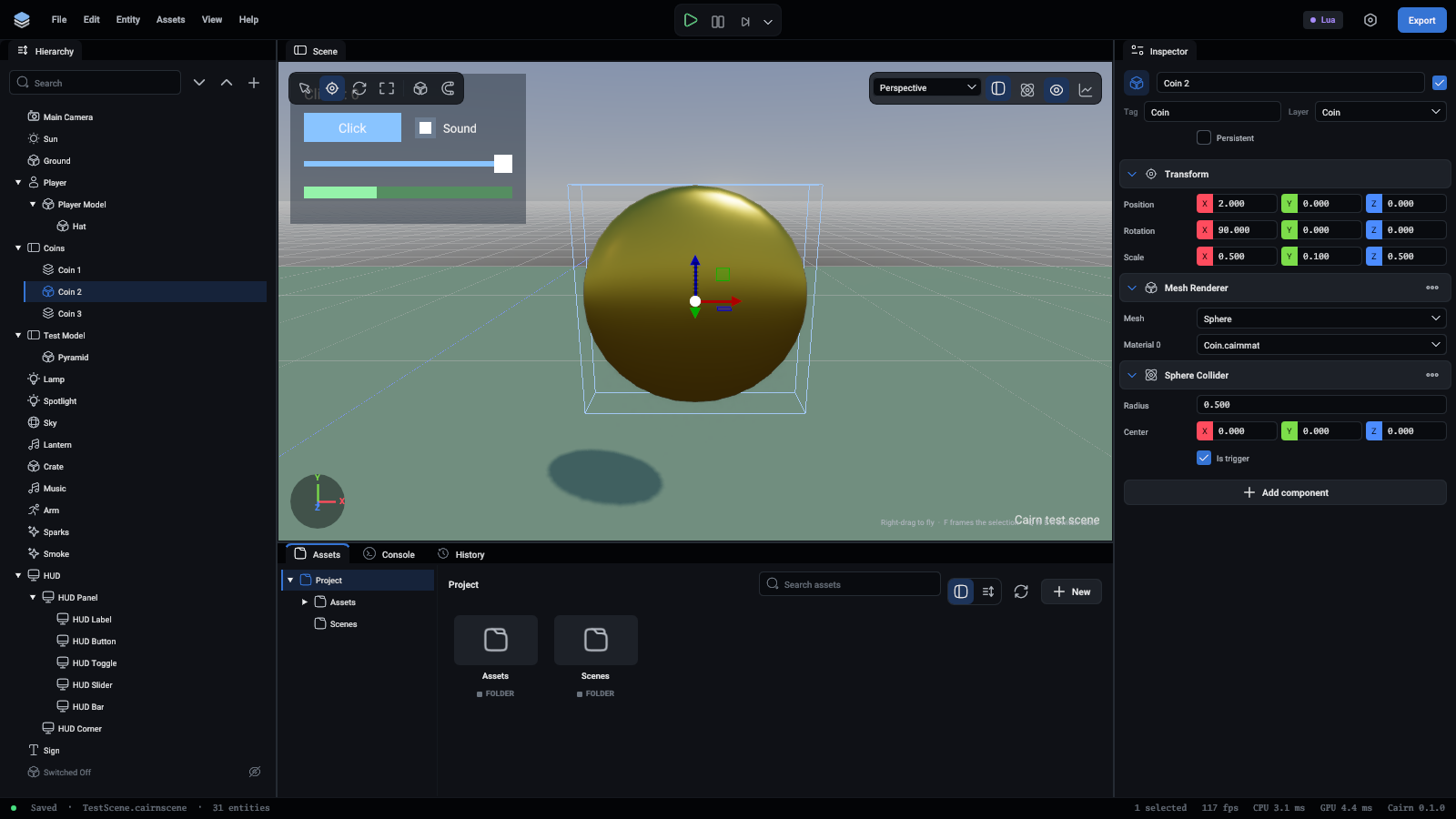
A coin with a sphere collider that is a trigger

FieldWhat it is
SizeBox: its full size along each axis
RadiusSphere and capsule: how round
HeightCapsule: from tip to tip, round ends included. A capsule stands up along Y
CenterWhere the shape sits, relative to the entity
Is triggerA trigger blocks nothing and reports what enters it, to a script's OnTriggerEnter. Coins and doorways are triggers

Switch on Colliders over the viewport to see every shape outlined.
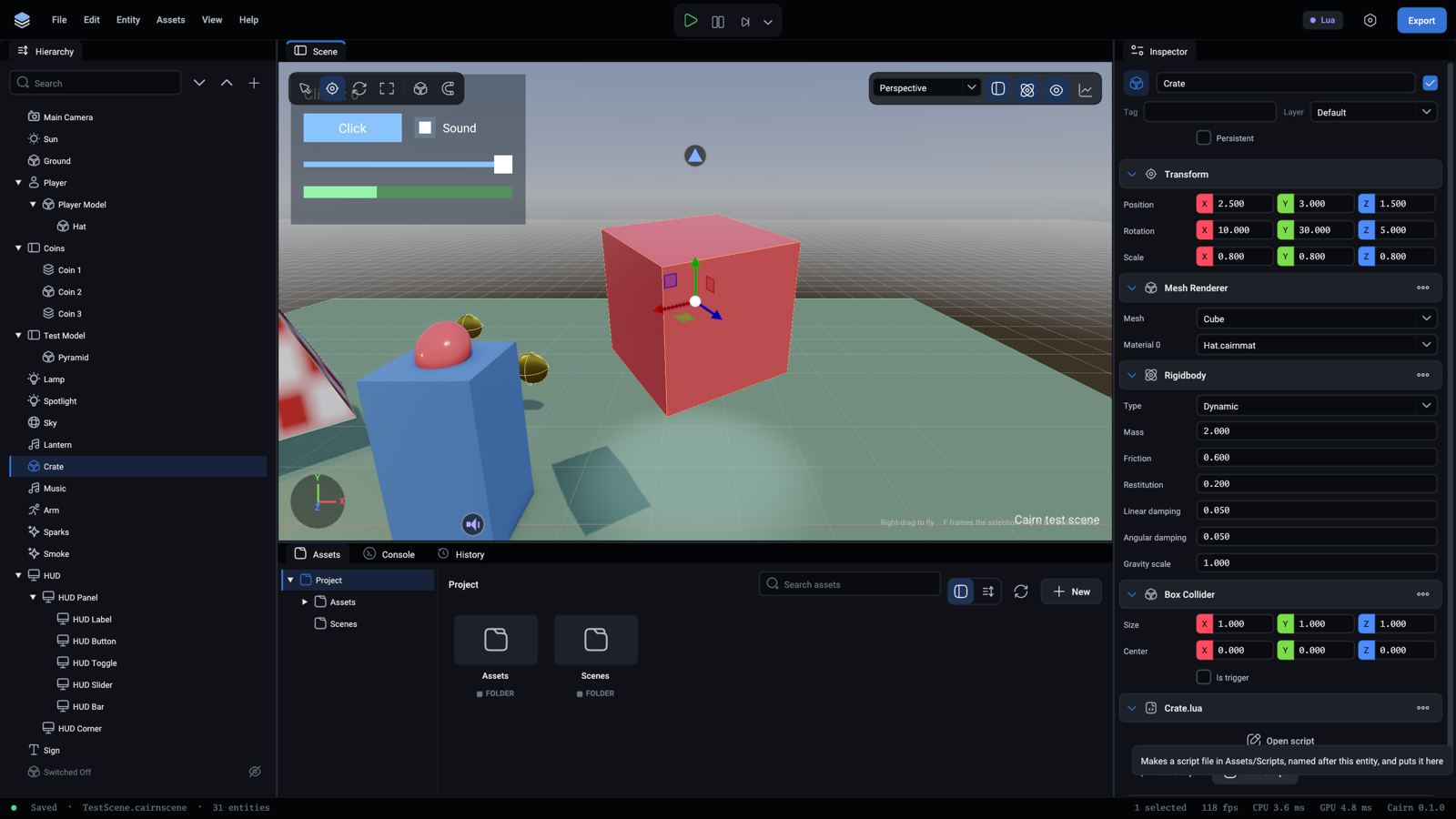
Collider outlines on, with a crate selected

Mesh collider

A collider with the shape of a mesh, for something a box or a sphere does not fit.
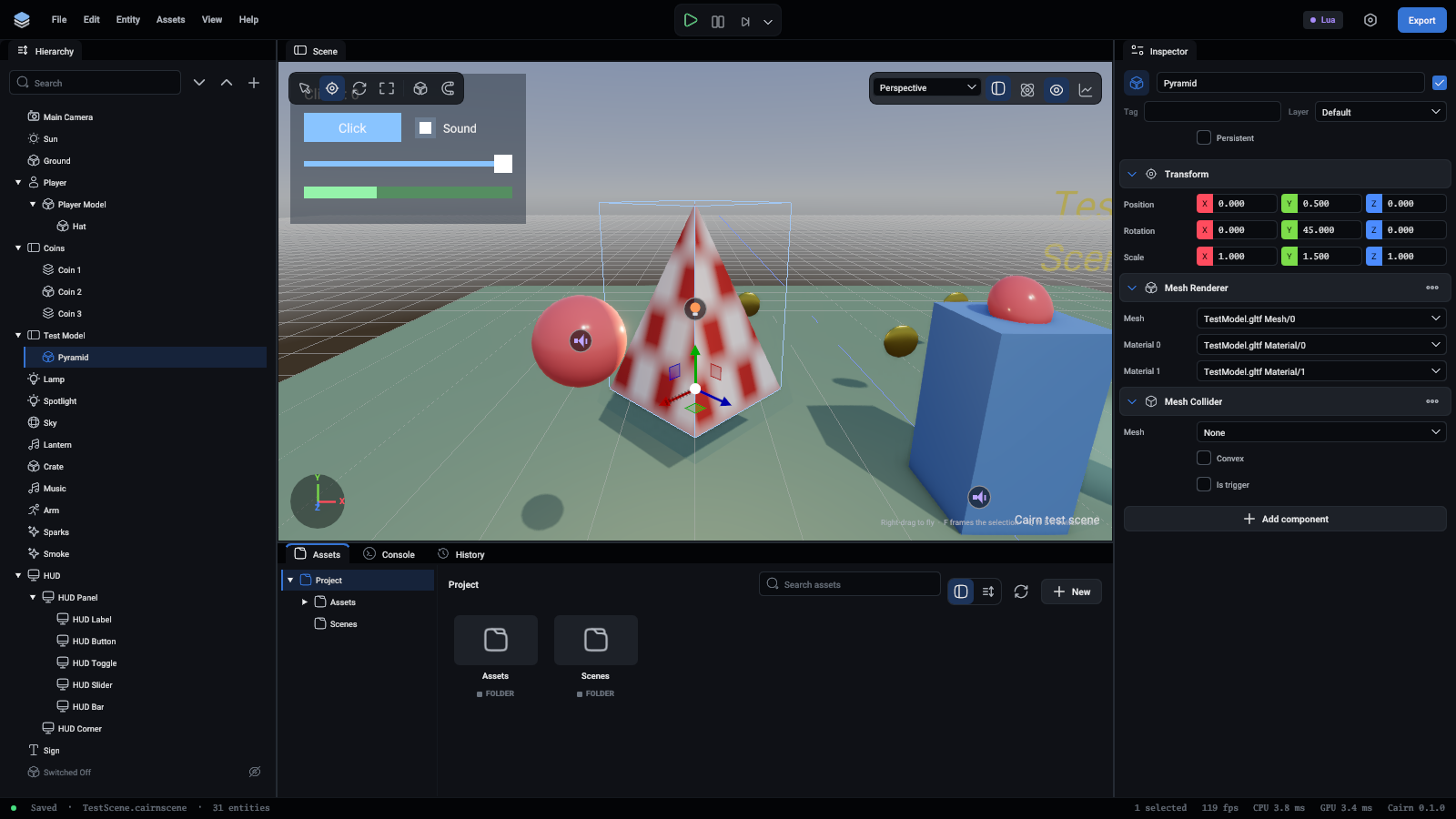
The pyramid with a mesh collider

FieldWhat it is
MeshThe shape. Left empty, it is the mesh the entity's Mesh Renderer draws
ConvexThe mesh shrink-wrapped, with every dent filled in. Cheaper, and the only kind a moving body can have
Is triggerAs for the other colliders

Not convex, it is the exact triangles, for level geometry that stays put. A body that moves gets the convex shape whatever this says.

Joint

Ties the entity's body to another body, or to the world. The entity needs a Rigidbody and a collider.
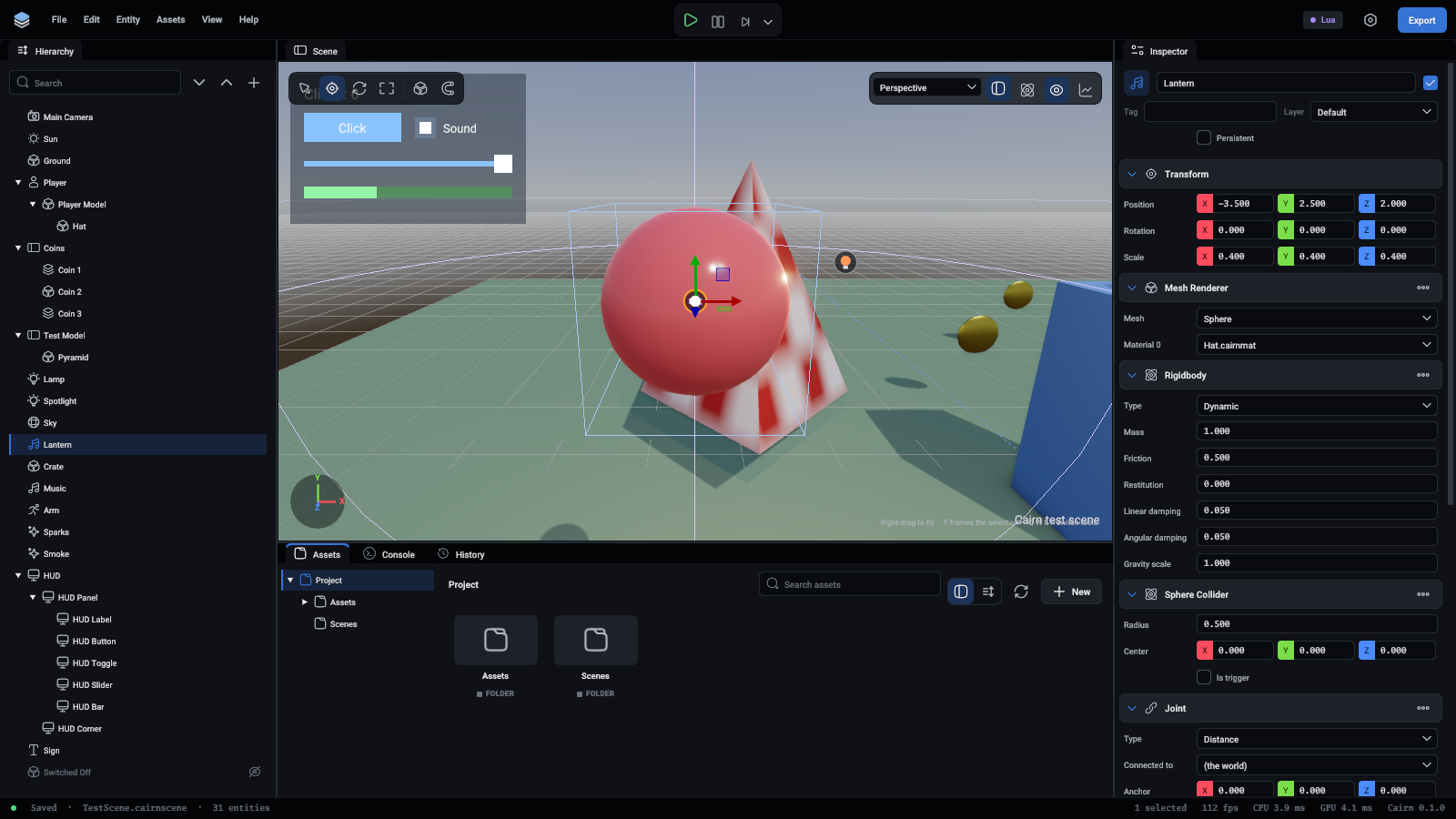
The lantern on a distance joint, hanging from the world

FieldWhat it is
TypeFixed welds the two together as they are. Hinge lets them turn about one axis: a door, a wheel. Distance keeps two points within a range of distances: a rod, or a rope
Connected entityThe other body. Empty ties it to the world
AnchorWhere the joint sits, relative to this entity
Connected anchorDistance only: the point on the other body, or in the world
AxisHinge only: the direction it turns about
Min distance, Max distanceDistance only. A negative value means the distance they are at when the game starts

More in Physics.

Character controller

Makes the entity a game character: it walks along the ground, climbs steps and gentle slopes, slides along walls and never falls over. Scripts tell it which way to walk and when to jump. Its shape is an upright capsule, and colliders or a Rigidbody on the same entity are not used.
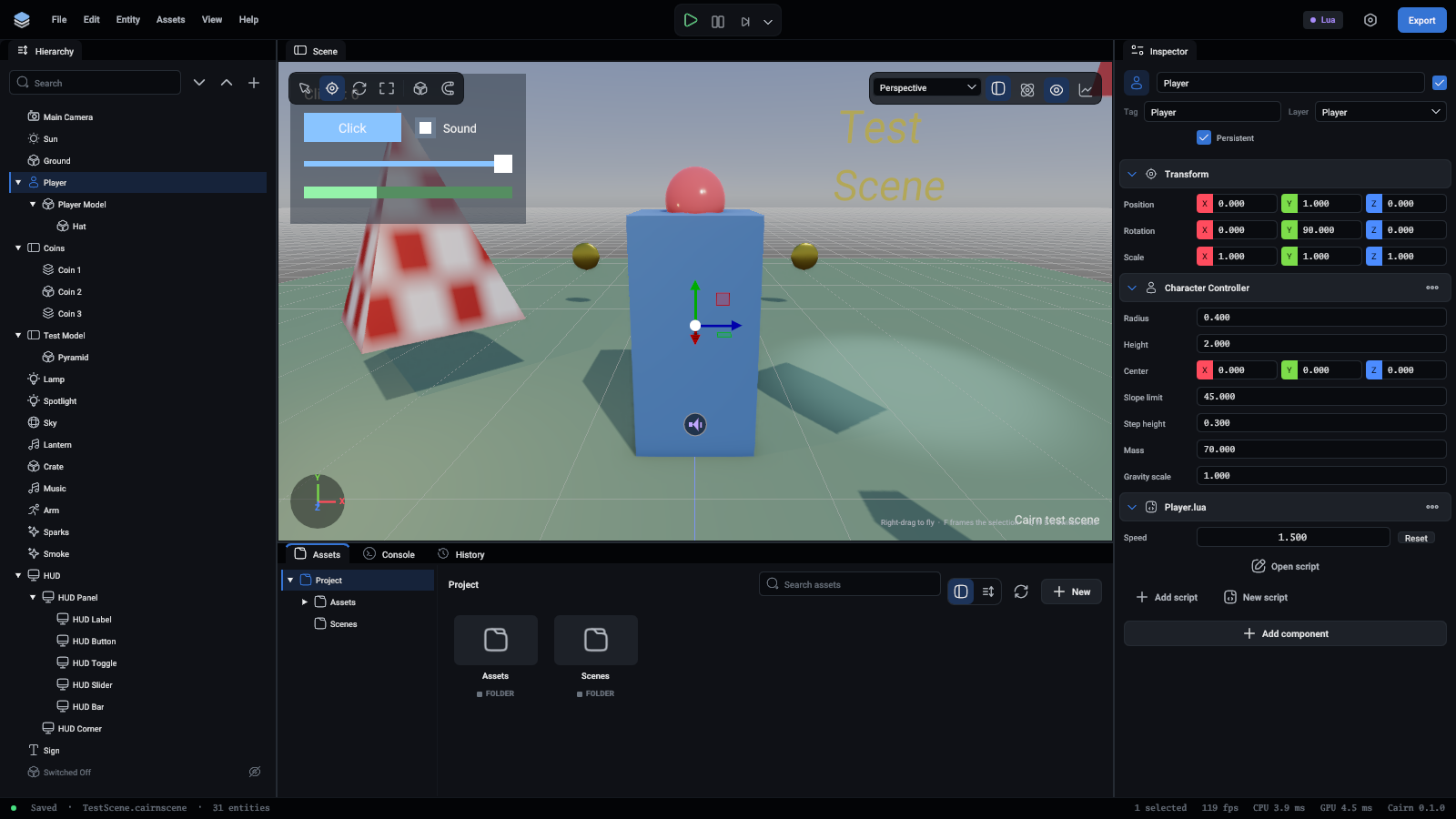
The player with a character controller and its script

FieldWhat it is
Radius, HeightThe capsule's size
CenterWhere the capsule sits. With the entity at the character's feet, this is half the height, straight up
Slope limitThe steepest ground it walks up, in degrees
Step heightThe tallest ledge it walks up without jumping
MassHow hard it pushes the dynamic bodies it walks into
Gravity scaleHow much gravity pulls on it

More in Physics.

Audio source

Plays a sound from where the entity is.
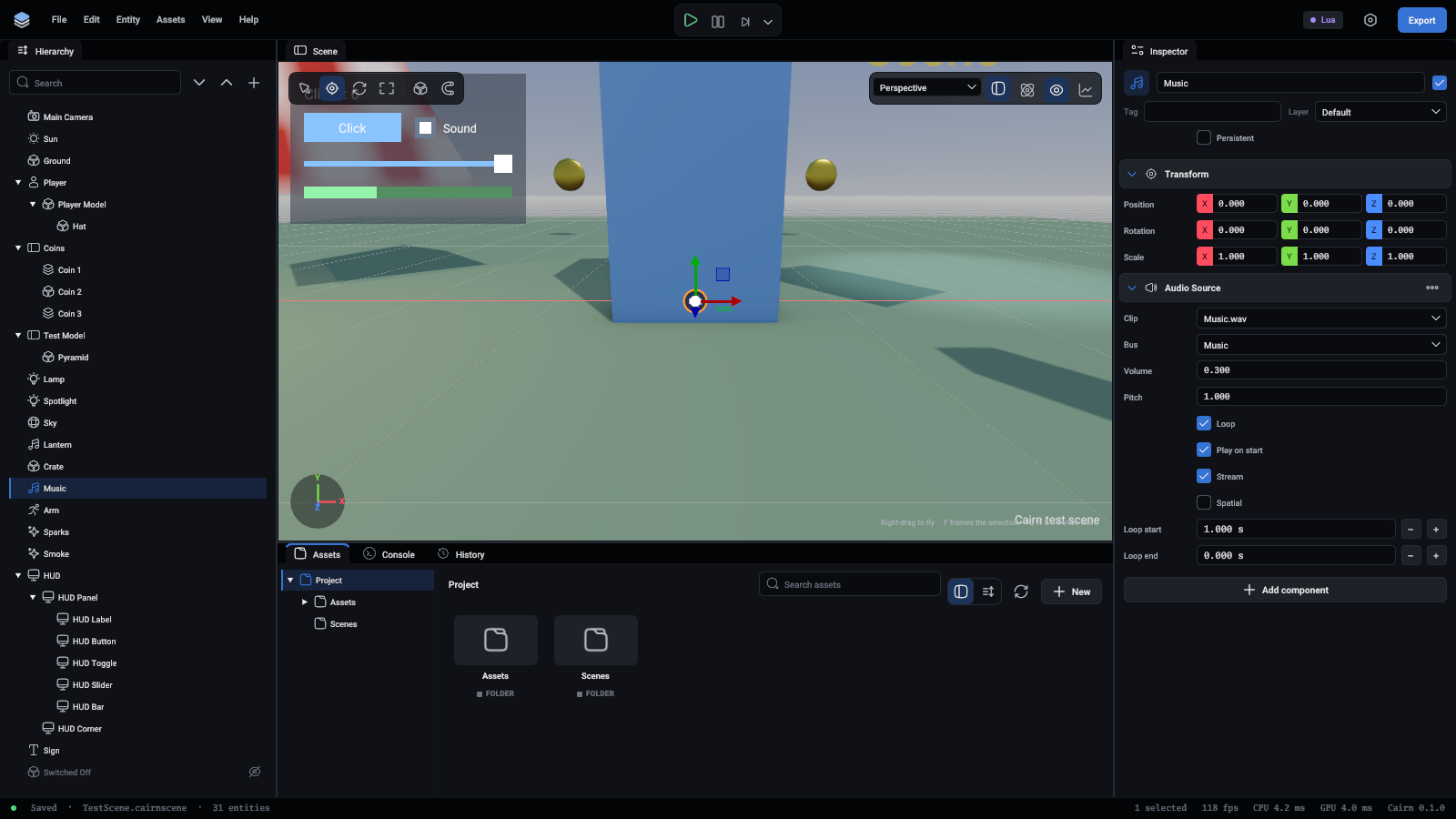
The music, an audio source on the Music bus

FieldWhat it is
ClipA .wav, .mp3 or .flac file
BusMusic or Sfx. Each bus has its own volume, set in Project settings
Volume, PitchPitch 2 is an octave up and twice as fast
LoopStarts again at the end
Play on startStarts when the scene does. Off, a script starts it
SpatialHeard from the entity's position, louder when near. Off, it sounds the same everywhere, as music should
Min distance, Max distanceSpatial only: full volume within the first, silent beyond the second
StreamRead from the file as it plays rather than all at once. For music
Loop start, Loop endIn seconds. A looping sound goes back to the start point when it reaches the end point, so music can play its opening once and repeat the rest

Audio listener

Where spatial sounds are heard from. Without one, it is the primary camera. With several, the first one that is Active listens. More in Audio.

Skinned mesh renderer

Draws a mesh that a skeleton bends, such as a character. Importing an animated model sets this up for you.

FieldWhat it is
MeshThe mesh, a part of a model
SkeletonThe bones it is tied to, a part of the same model
Material 0...As for a mesh renderer

Animator

Moves a skinned mesh: through the states of an animator controller, or by playing one clip round and round.
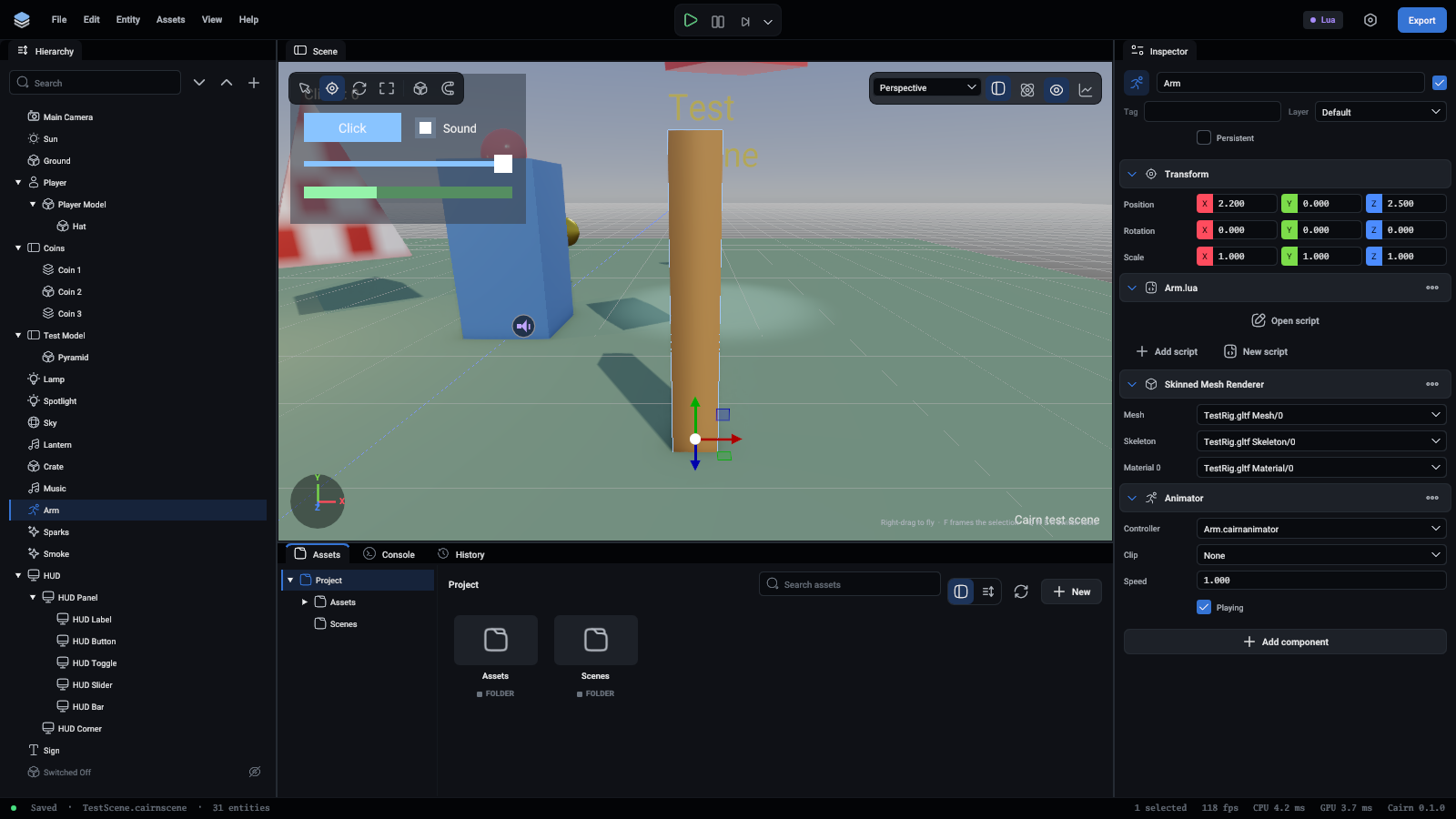
The arm with a skinned mesh renderer and an animator

FieldWhat it is
ControllerA .cairnanimator file: states, and when to go from one to another
ClipWith no controller, this animation plays on a loop
SpeedHow fast everything plays
PlayingOff, it holds the pose it is in

Animation plays in play mode only. More in Animation.

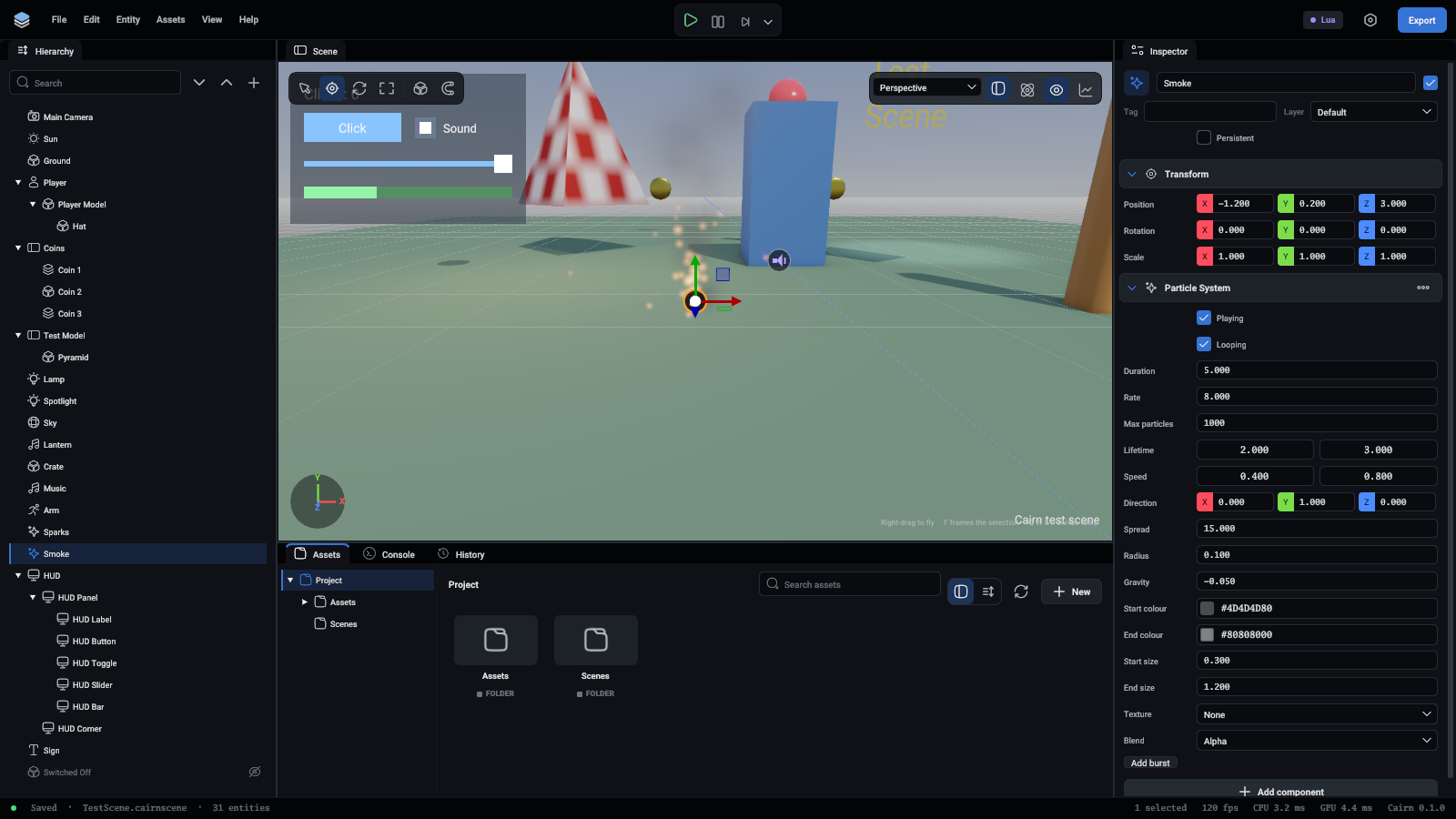
Particle system

Gives off small squares that face the camera, move, fade and die: sparks, smoke, dust, magic.
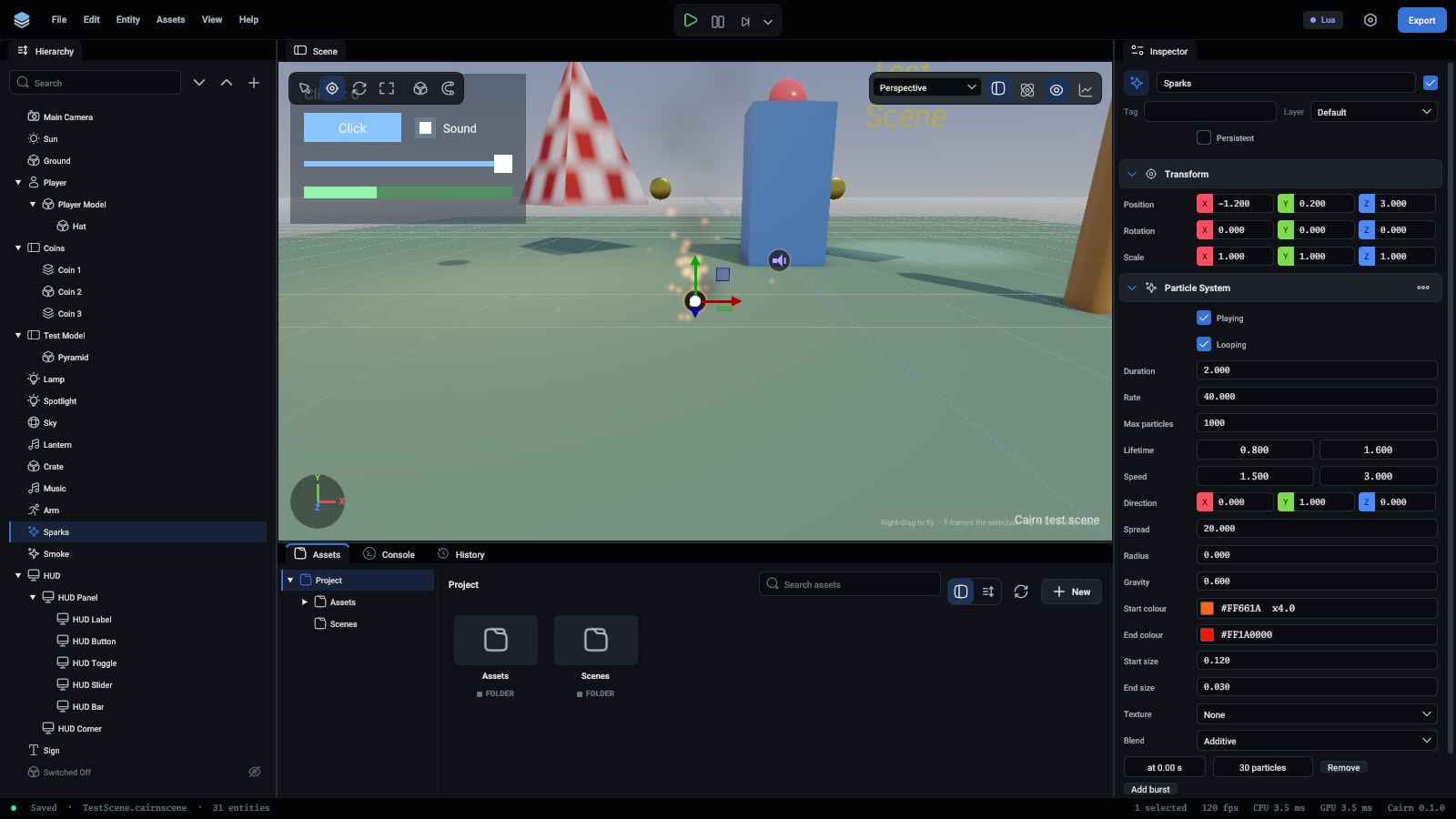
Sparks: an additive particle system

FieldWhat it is
PlayingOff, nothing new comes out. What is in the air lives on
LoopingRound and round. Off, it runs for the duration and stops
DurationThe length of one round, in seconds
RateParticles per second
BurstsMany particles at once, at a set time in the round
Max particlesIt stops giving off more at this many
Lifetime, SpeedEach particle gets a value between the two given
Direction, SpreadWhich way they leave, and how many degrees off it they may go
RadiusThey start within this distance of the entity
Gravity1 falls as things do, 0 floats, below 0 rises
Start colour, End colourFrom one at birth to the other at death. Alpha is how solid
Start size, End sizeThe side of each square, in units
TextureA picture for each particle. Empty is a soft round dot
BlendAdditive adds light, for fire and sparks. Alpha covers what is behind, for smoke

Smoke: an alpha particle system

Particles move while you edit too, so you can tune a system by eye. More in Particles.

Text

Words in the world, on a flat sheet where the entity stands: a sign, a name over a head.
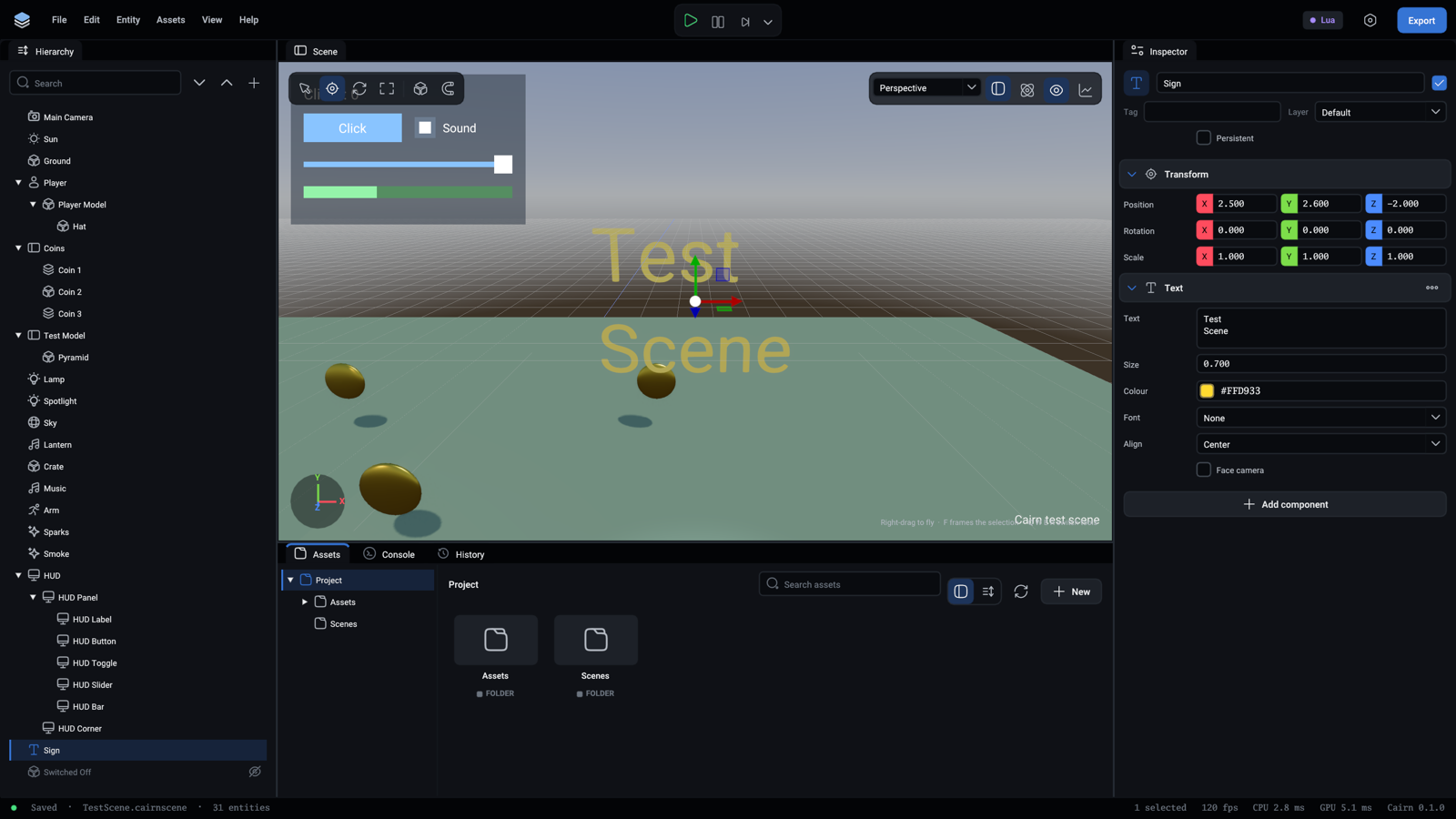
The sign, words standing in the level

FieldWhat it is
TextThe words. A new line starts a new line
SizeThe height of the letters, in units
ColourThe letters' colour
FontA .ttf font from the project. Empty is the built-in font
AlignLeft, centre or right
Face cameraTurns to face the camera always

UI canvas

The top of a piece of screen UI: a menu, a HUD. The UI elements under it in the hierarchy are drawn over the game.
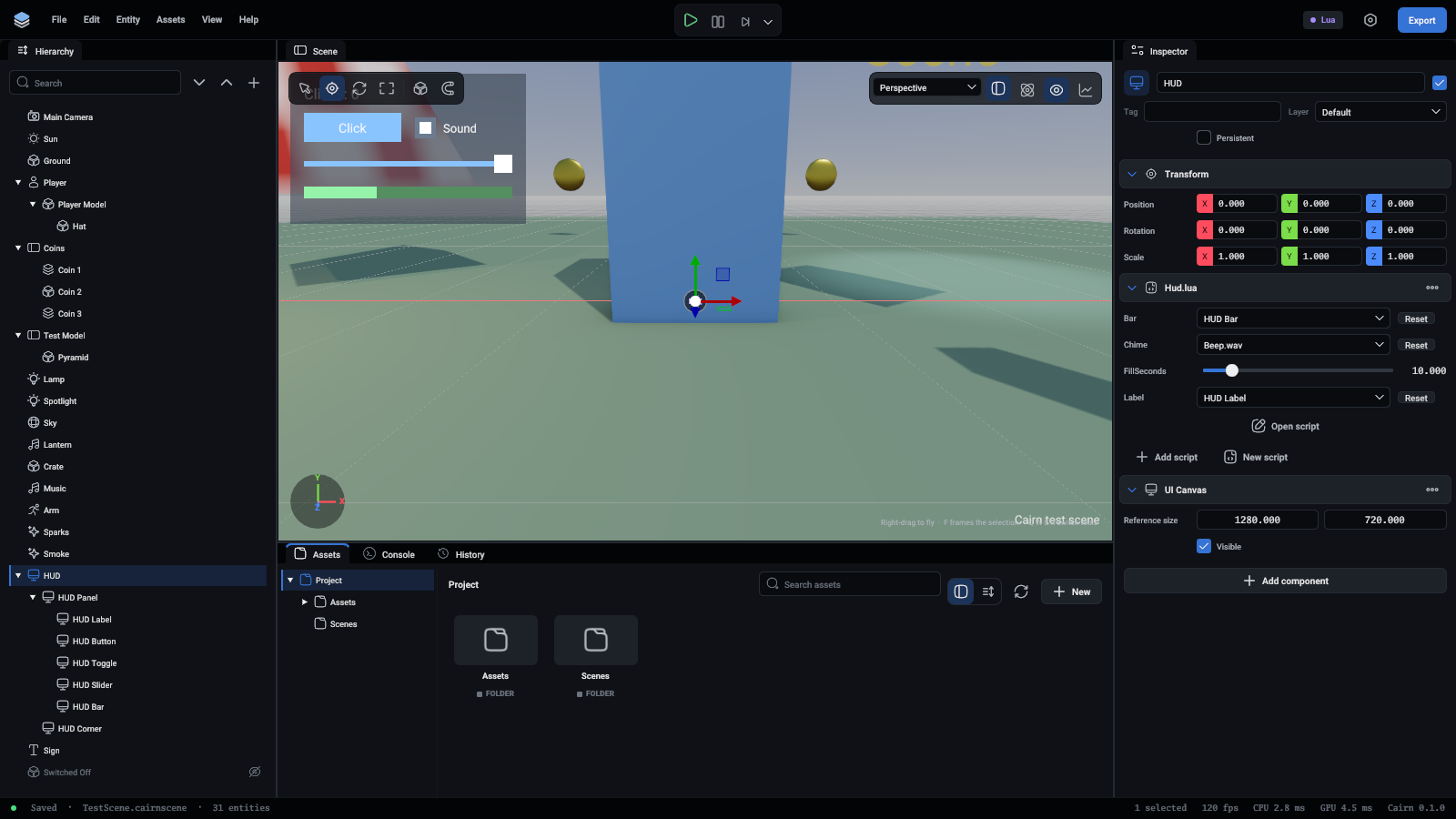
The HUD canvas with its script

FieldWhat it is
Reference sizeThe screen size the UI was made for. Everything is scaled evenly to fit the real screen
VisibleOff hides the whole UI

UI element

One piece of screen UI, placed inside its parent: the nearest UI element above it, or the canvas.
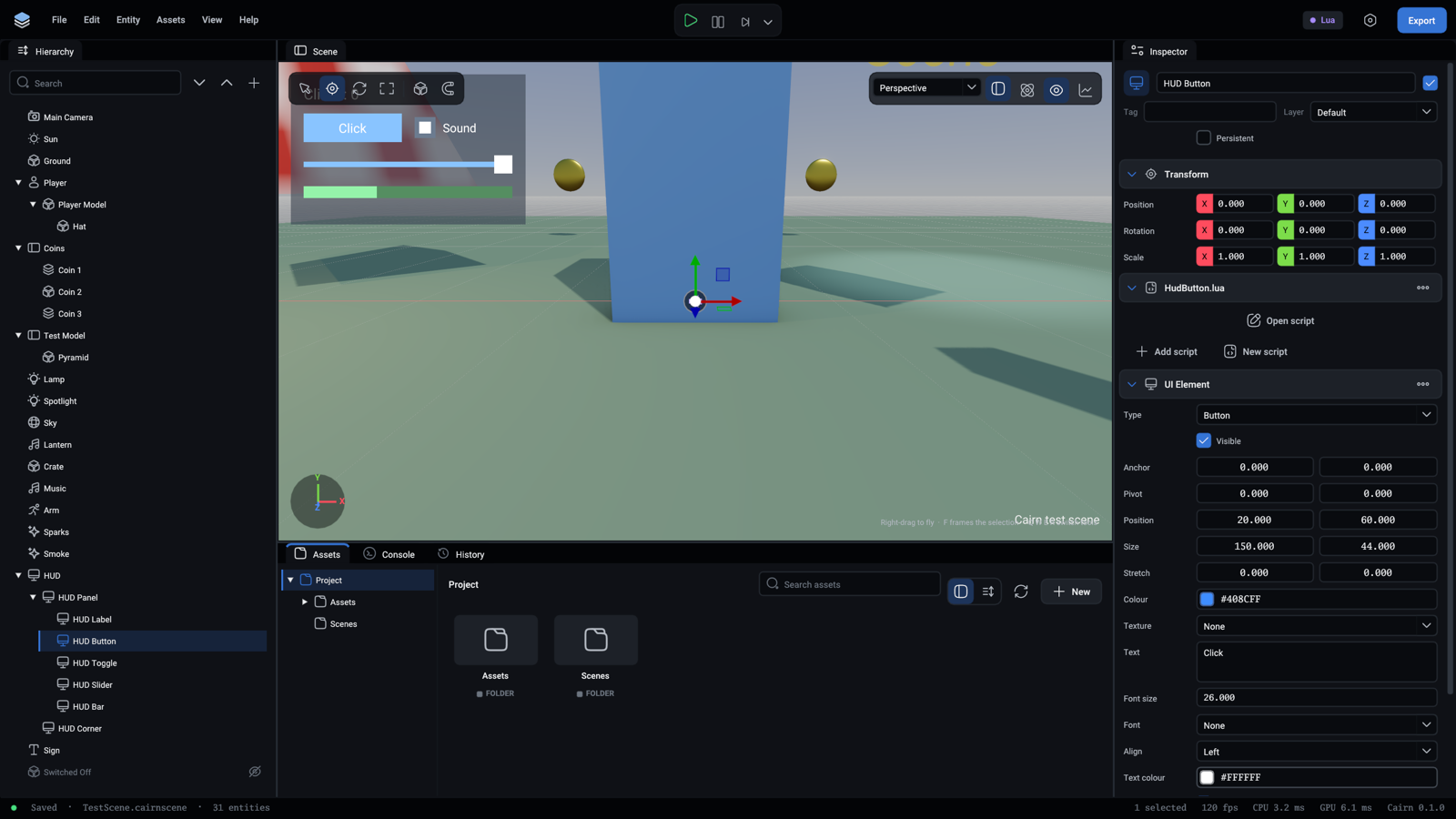
The HUD's button

FieldWhat it is
TypePanel, image, text, button, slider, toggle or progress bar
VisibleOff hides it and everything under it
AnchorWhere in the parent it is fastened, from (0, 0) at the top left to (1, 1) at the bottom right
PivotWhich point of itself is fastened there, counted the same way
PositionMoved from there by this much, in reference units. Y is down
SizeIts width and height
StretchThis share of the parent's size is added to Size. (1, 1) with a size of 0 fills the parent
ColourThe rectangle's colour, or the letters' for text
TextureA picture, for an image, or behind a panel or a button
Text, Font size, Font, AlignThe words of a text, or the label of a button or a toggle
Text colourA button's or toggle's label, and a slider's handle
InteractableOff, a control is faded and cannot be used
ValueA slider's or progress bar's value, from 0 to 1
CheckedWhether a toggle is ticked

A script on the element hears about clicks through OnClick and OnValueChanged. More in UI.

Scripts

The Lua or TypeScript files that make the entity do things. An entity can have several, each a section of its own in the inspector with the fields its script exposes. See Inspector for the buttons, and Scripting for writing them.