
Preferences
The gear at the top right of the editor, File > Preferences or Ctrl+, (Cmd+, on macOS) opens your preferences. They are yours, kept in your user settings folder with your recent projects and window layout, and never in a project. A change takes effect at once.
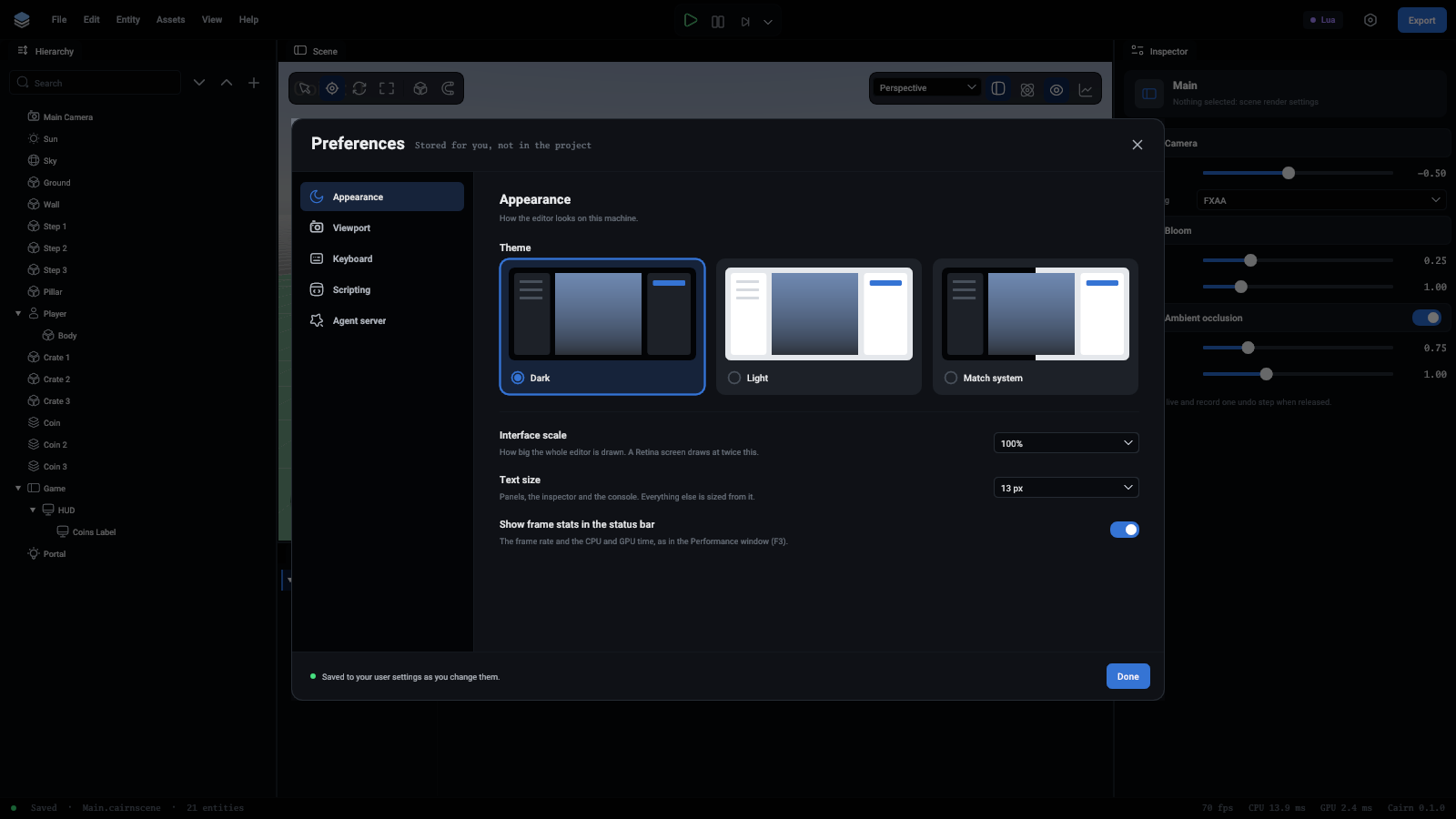
Appearance
The theme is Dark, Light, or Match system, which follows the system's setting when the editor starts and when you pick it.
Interface scale draws the whole editor bigger, from 100% to 200%. A Retina screen already draws at twice this. Text size is the size of ordinary text, from 12 to 15 pixels, and every other text size follows it. The last switch shows or hides the frame rate and the CPU and GPU time at the right of the status bar.
Viewport
The two switches say whether the ground grid and the icons of the things that draw nothing are on when the editor starts. The viewport's buttons switch them after that.
Fly speed is how fast the right mouse button flies, and the mouse wheel changes it while you fly. The snap amounts are how far a move, a turn and a scale snap with Snap on or Ctrl held: half a unit, 15 degrees and a tenth at first.
Keyboard
Every shortcut, to look up.
Scripting
Open scripts with names the program a script opens in when you double-click it or press Open script. On macOS it is an application's name, such as Visual Studio Code. Elsewhere it is a program on the PATH, such as code, or its full path. Left empty, scripts open in whatever the system uses for .lua and .ts files.
Agent server
Server on runs the command server now, and whenever the editor opens with its window. Switch it off and the server stops. This is how Claude Code or another agent working in the project's folder reaches the editor that is open. The port is 47800 unless you change it, and an agent's CLI takes the same number with --port.
An editor started with --hidden or --headless is an automated run: it reads no preferences unless given --editor-data, and starts no server unless given --server.