
Rigid bodies and joints

Physics covers bodies, colliders, the character controller and queries. This page is about bodies that the simulation moves, and tying them together.

A body that falls

Give an entity a collider and a Rigidbody with type Dynamic. It then falls, lands, rolls and is pushed.
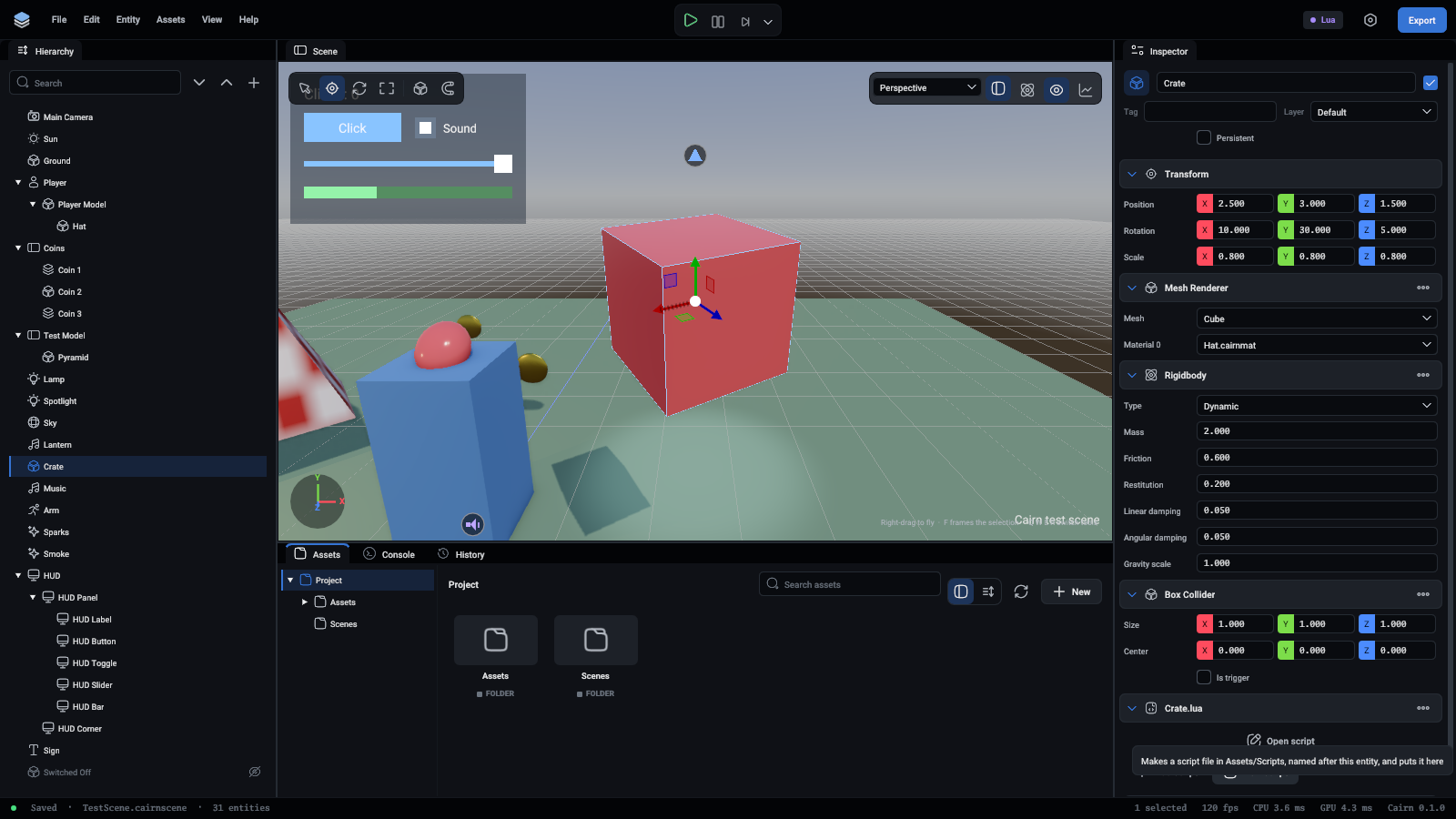
A crate with a rigidbody and a box collider

FieldMeaning
TypeStatic, Dynamic or Kinematic
MassKilograms. Decides how hard it is to push, not how fast it falls
Friction0 is ice, 1 is rubber on concrete
RestitutionBounciness, from 0 (none) to 1 (bounces back to where it fell from)
LinearDampingHow quickly movement dies away on its own
AngularDampingHow quickly spin dies away on its own
GravityScaleMultiplies gravity for this body. 0 floats

The body exists from the first fixed update after the component was added.

Pushing it from a script

Lua
TypeScript
function Ball:OnStart()
	self.Body = self.Entity.Rigidbody
end

-- A kick: changes its momentum at once.
function Ball:Kick(direction)
	self.Body:AddImpulse(direction * 8)
end

-- A steady push: call it every fixed step.
function Rocket:OnFixedUpdate()
	self.Body:AddForce(self.Entity.Up * 50)
end

-- A jump keeps the sideways speed and sets the upward one.
function Hopper:Jump()
	local velocity = self.Body:GetVelocity()
	velocity.y = 6
	self.Body:SetVelocity(velocity)
end
FunctionUse it for
AddForce(force)A push in newtons for one fixed step. Call it in OnFixedUpdate
AddImpulse(impulse)A hit or a kick, once
GetVelocity(), SetVelocity(velocity)Reading and setting the speed, in units per second
GetAngularVelocity(), SetAngularVelocity(velocity)Reading and setting the spin

Forces and impulses work on dynamic bodies only.

Moving a body yourself

Do not set the Position of a dynamic body every frame: that teleports it, and it passes through things. Push it, or set its velocity.

A Kinematic body is the kind you move yourself. Set its entity's position, or tween it, and it pushes dynamic bodies out of the way without being pushed back. Use it for lifts, doors and moving platforms:

Lua
TypeScript
Tween.To(self.Entity, "Position", self.Top, 3, "EaseInOut")

Joints

A Joint ties its entity's body to another entity's body, or to the world when no entity is given. The entity needs a Rigidbody and a collider.
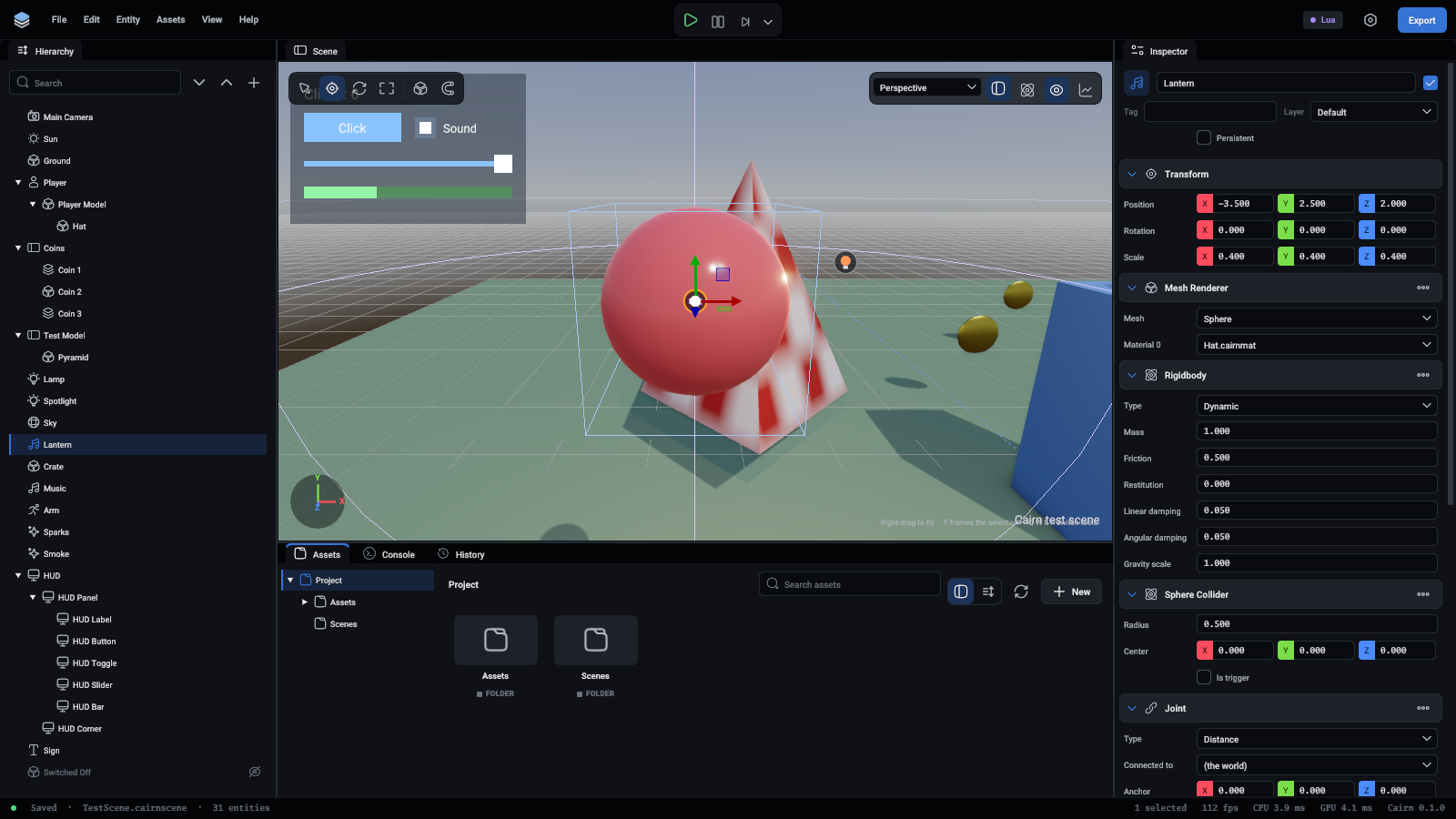
A lantern hanging from the world on a distance joint

TypeWhat it doesUses
FixedWelds the two togetherThings that break apart later
HingeLets them turn about Axis through AnchorDoors, wheels, levers
DistanceKeeps Anchor and ConnectedAnchor between MinDistance and MaxDistance apartRopes, chains, a hanging lamp

Anchor and Axis are relative to the joint's own entity. ConnectedAnchor is relative to the connected entity, or a point of the world when tied to the world. A negative distance means the distance the two points start at.

A lamp hanging from the ceiling is a dynamic body with a Distance joint tied to the world:

{"command": "entity.update", "entity": "Lantern", "data": {"Rigidbody": {"Type": "Dynamic"}, "SphereCollider": {}, "Joint": {"Type": "Distance", "ConnectedAnchor": [0, 5, 0]}}}

From a script, joint:SetConnectedEntity(entity) ties it to another body, and nil ties it to the world.

Turn on Colliders in the viewport to see joints drawn in magenta.

Sleeping

A body that has come to rest falls asleep and costs nothing until something touches it. Contact callbacks keep arriving as Stay while it sleeps.