
Console and history
Two of the tabs under the viewport, beside Assets.
Console
The console is the log. Anything the engine or the editor reports lands here, along with what a script writes with print or Log.Info, and every error any of them hits while the game runs or while you edit.
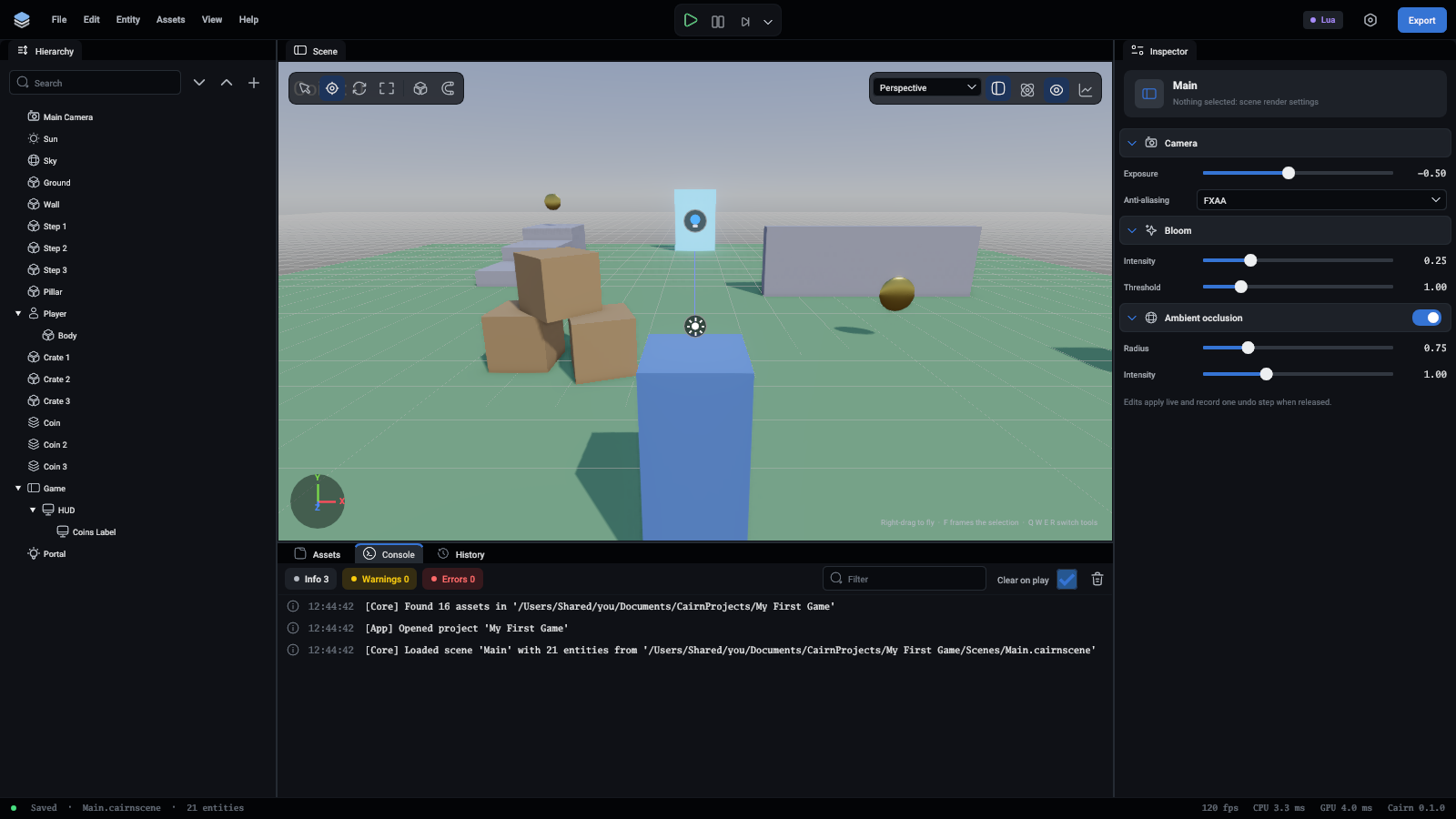
- A chip at the top for each kind of message (Info, Warnings and Errors) says how many there are. Click one to hide or show that kind.
- The filter box shows only the lines with that text in them.
- The bin clears the console.
- Clear on play, on at first, clears it each time the game starts, so what you see is from this run.
Each line has the time it was logged. A message logged again straight after itself gets a count on the right instead of a second line, so a warning that fires every frame takes one row. A script error names its file and line. Double-click it to open that script.
History
The history is every change made to the scene since it was opened, oldest at the top. The one the scene is at now is marked NOW. Changes you undid stay in the list, marked CAN REDO, until you change something else.
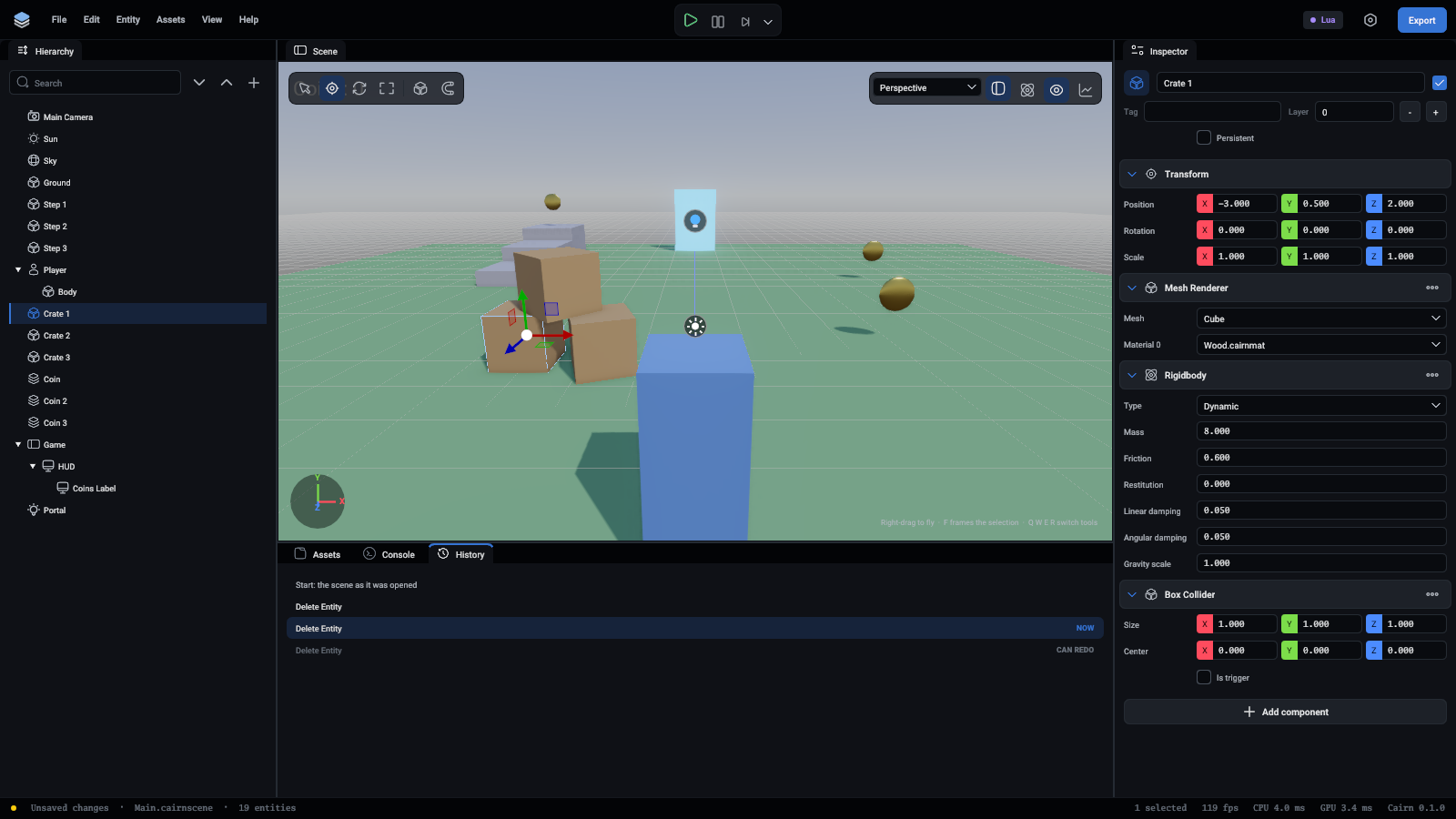
Click a row to go back or forward to it. One click can undo twenty steps. Ctrl+Z (Cmd+Z) and Ctrl+Shift+Z do one step at a time, and Edit names the step each would take.
Every change is a step. That means an entity made or deleted, a value dragged, a rename or a move in the hierarchy, and also any command an agent sends, which lands in the same list as yours. Saving does not clear the history, so you can still go back after saving, and the scene shows as having unsaved changes again.