
Exporting a game
Exporting turns a project into a game that runs with no editor.
From the editor
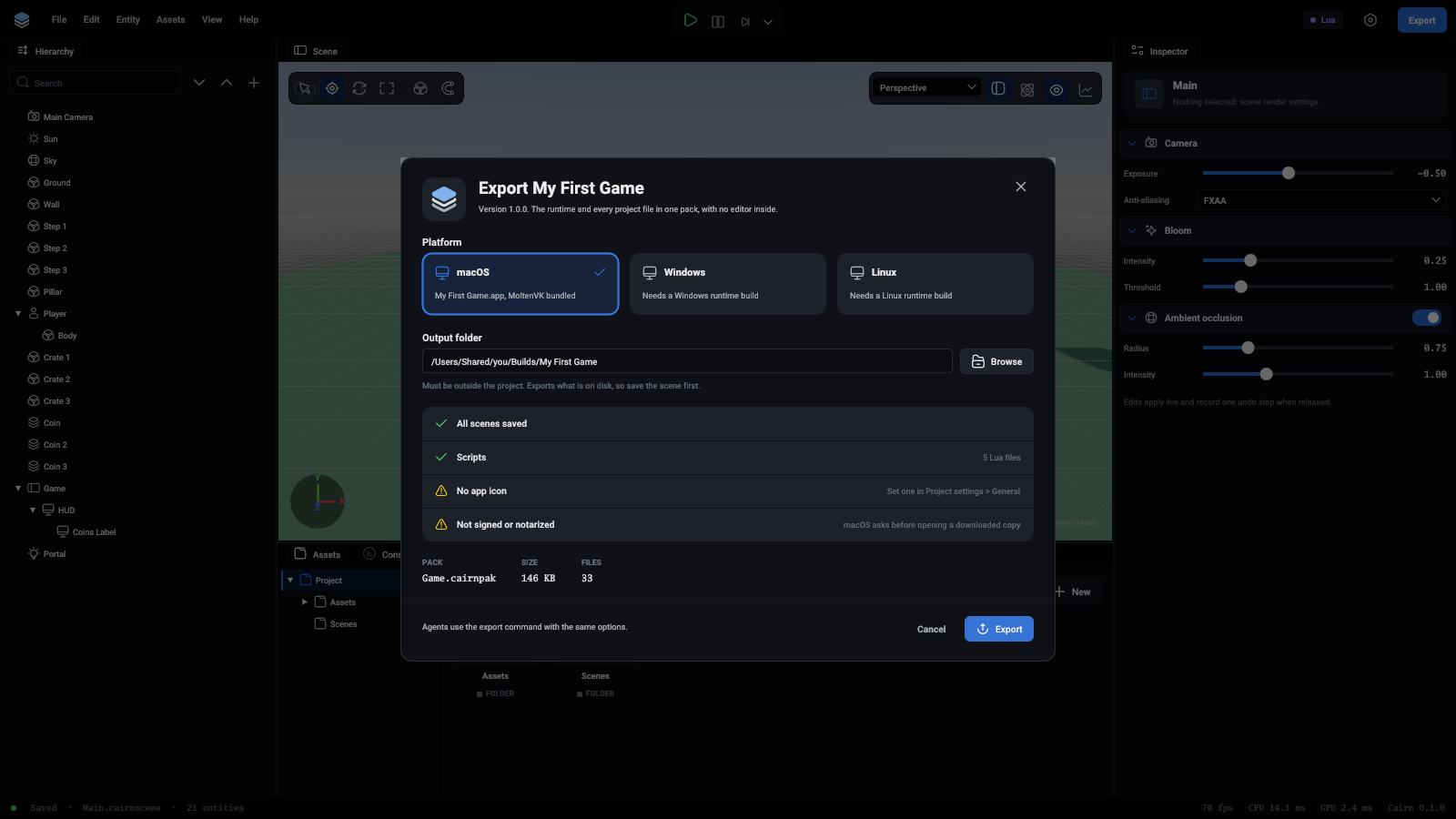
- Press Export at the top right of the editor, or choose File > Export.
- Pick the platform. This machine's is ready at once. Another needs a runtime program built on that platform: see Other platforms.
- Give an output folder outside the project, typed as a full path or picked with Browse. It starts as
Builds/<Name>in your home folder. - Read the checks. A red one stops the export, such as a project with no start scene. A yellow one is worth knowing: a scene with unsaved changes (the game gets what is on disk, and Save the scene is right there), no app icon, or a macOS game that is not signed.
- Press Export. The window says where the game is, and Show in Finder (or the file manager here) opens the folder.
Under the checks is what the pack will hold: how big it is and how many files.
What you get
Game.cairnpak is one file that holds every file of the project. The game is the runtime program under the project's name. It contains no editor code.
The game's name and icon
The game is called what the project is called. Its version and icon are set in Project settings with the name, or with the project.set_app command:
On macOS the icon must be a square PNG of 512 or 1024 pixels.
Other platforms
The exporter copies a runtime program that is already built. It finds the one for the machine it runs on by itself.
To export for another platform, build the runtime on that platform and give its path:
There is no cross-compiling.
Limits
- An exported macOS game is not signed or notarized, so macOS asks before opening one that was downloaded.
- On Windows and Linux the icon shows on the game's window. The
.exefile itself has none yet. - Windows and Linux exports have not been run yet.