
The project hub
With no project open, Cairn shows the hub. It is where a project is opened, made or copied from a sample, and where the documentation is a click away. File > Close Project comes back to it.
The pages are down the left: Projects, Templates, Samples and Learn. The card at the bottom opens the tutorial.
Projects
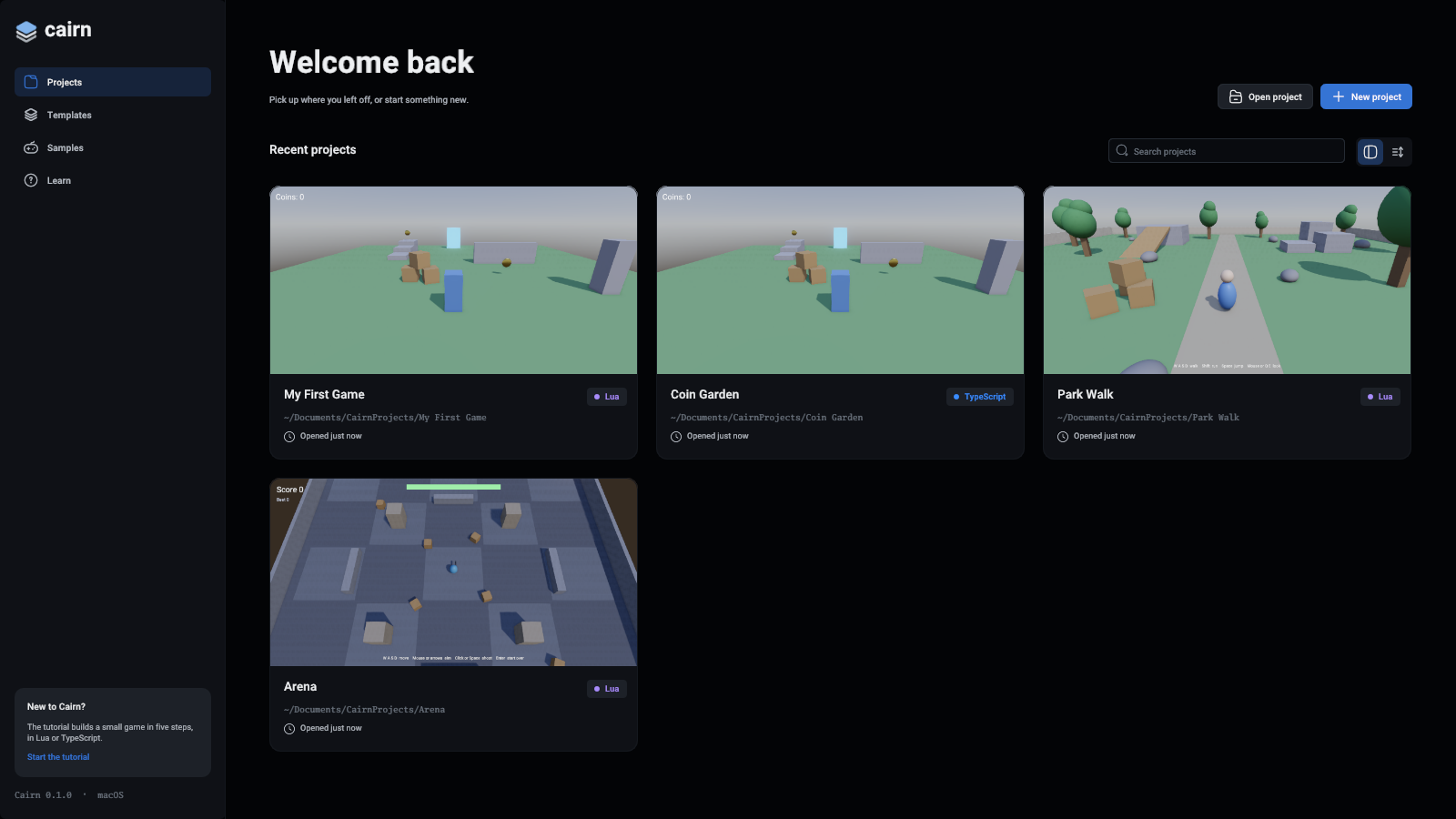
The projects you opened lately, newest first. Click a card to open the project. On a card you hover over:
- Open opens it.
- The ... button shows it in the file manager, or takes it off the list. Taking it off leaves its files where they are.
Each card shows a picture of the project's game, taken from its primary camera when the project was last closed. A project not closed since it was made gets a coloured card instead. A project whose folder was moved or deleted shows as missing.
The search box filters by name and folder. The two buttons beside it switch between cards and a list.
The list is yours, not a project's: it is kept in your user data folder, with the editor's window layout.
New project
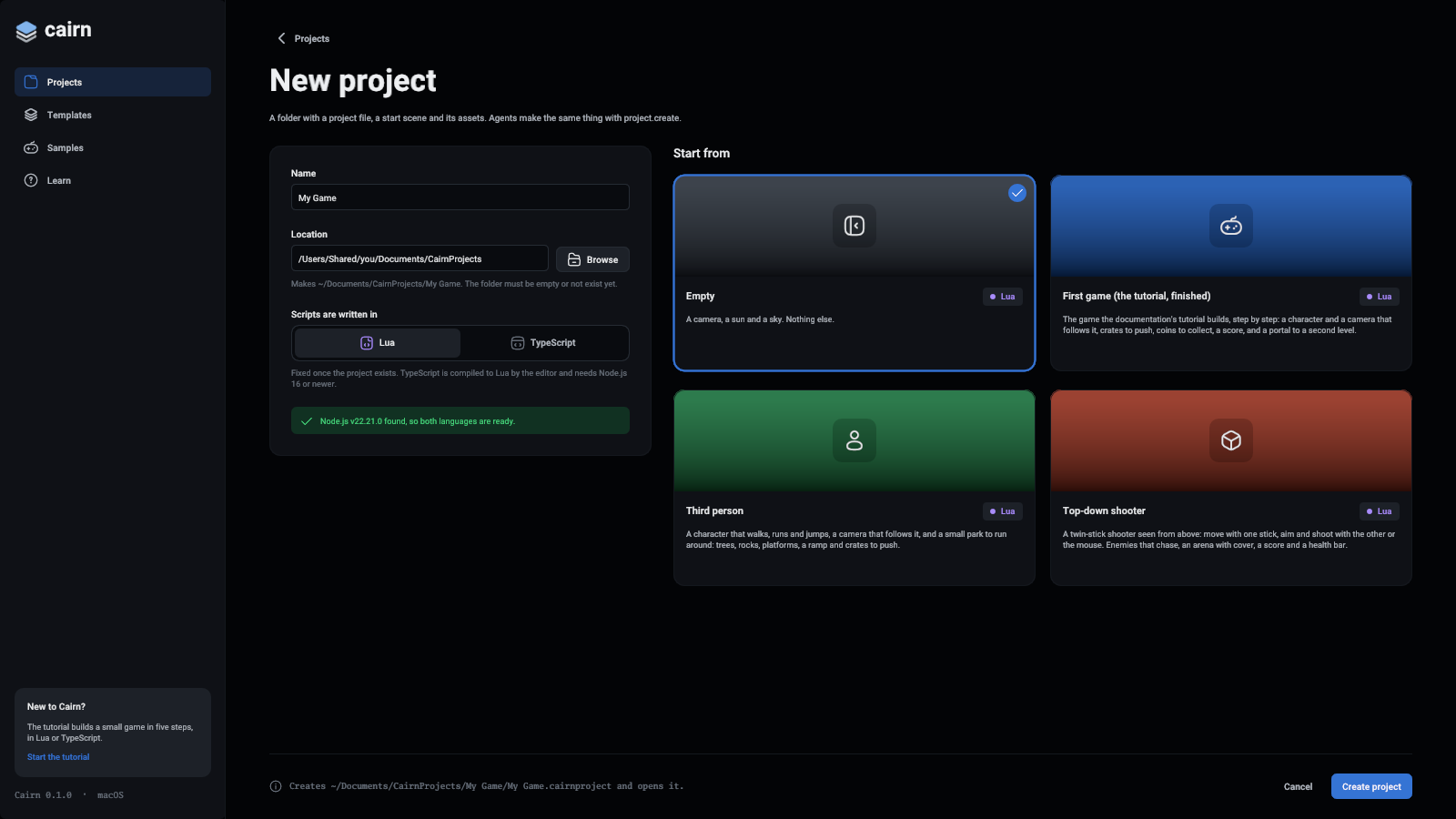
New project makes a folder with a project file, a start scene with a camera, a sun and a sky, and whatever the template adds.
- Type a Name. The project's folder is the Location plus that name.
- Pick what Scripts are written in: Lua or TypeScript. This is fixed once the project exists. TypeScript needs Node.js 16 or newer on this computer, and the green line under the choice says whether it was found.
- Pick what to Start from: an empty project or one of the templates in that language.
- Press Create project.
The line at the bottom says which file will be made, or why it cannot be, such as a folder that is not empty.
Browse picks the location with the folder browser:
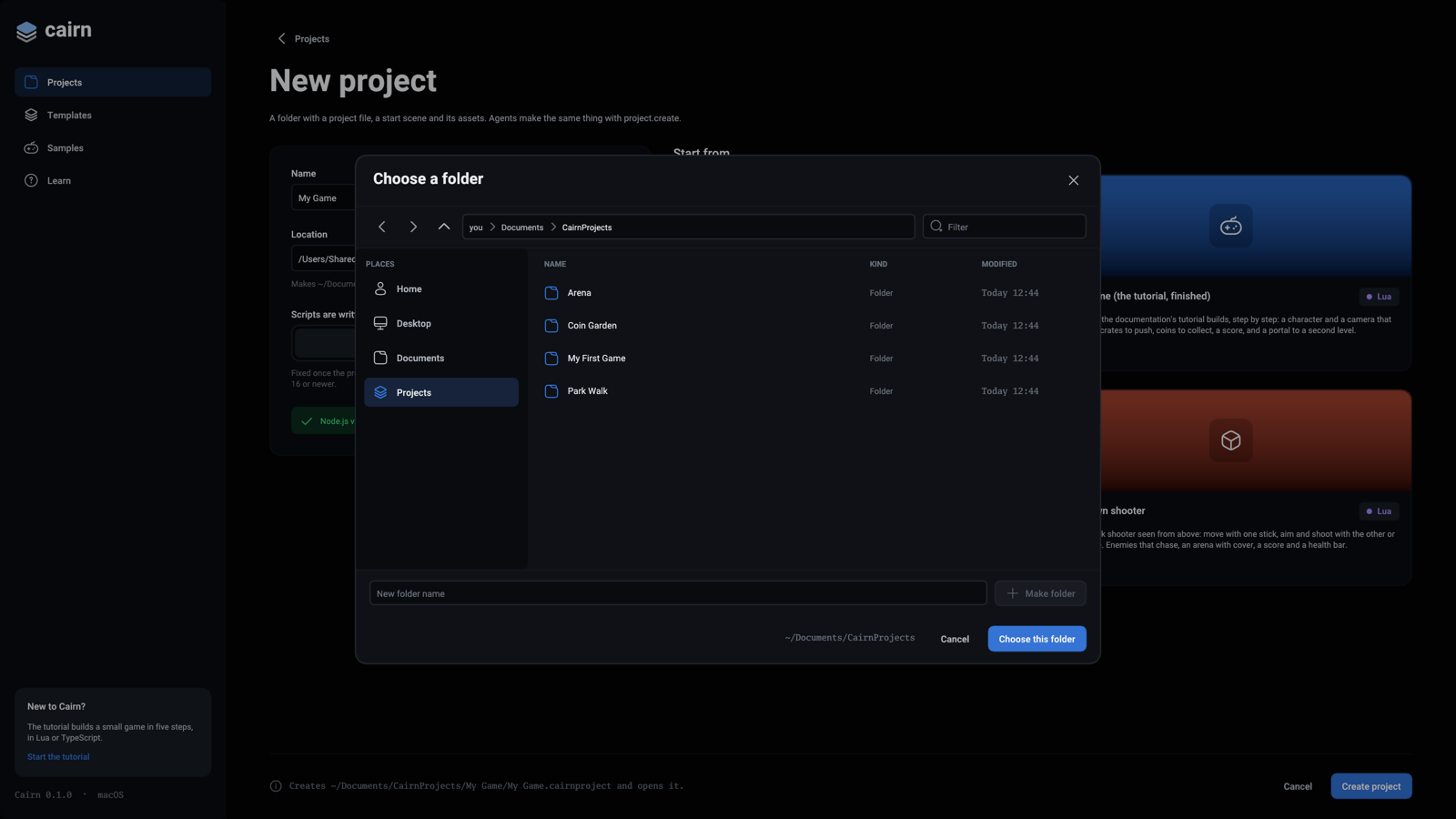
Double-click a folder to go into it, or type a name and press Make folder. Choose this folder takes the folder you are in.
Opening a project from disk
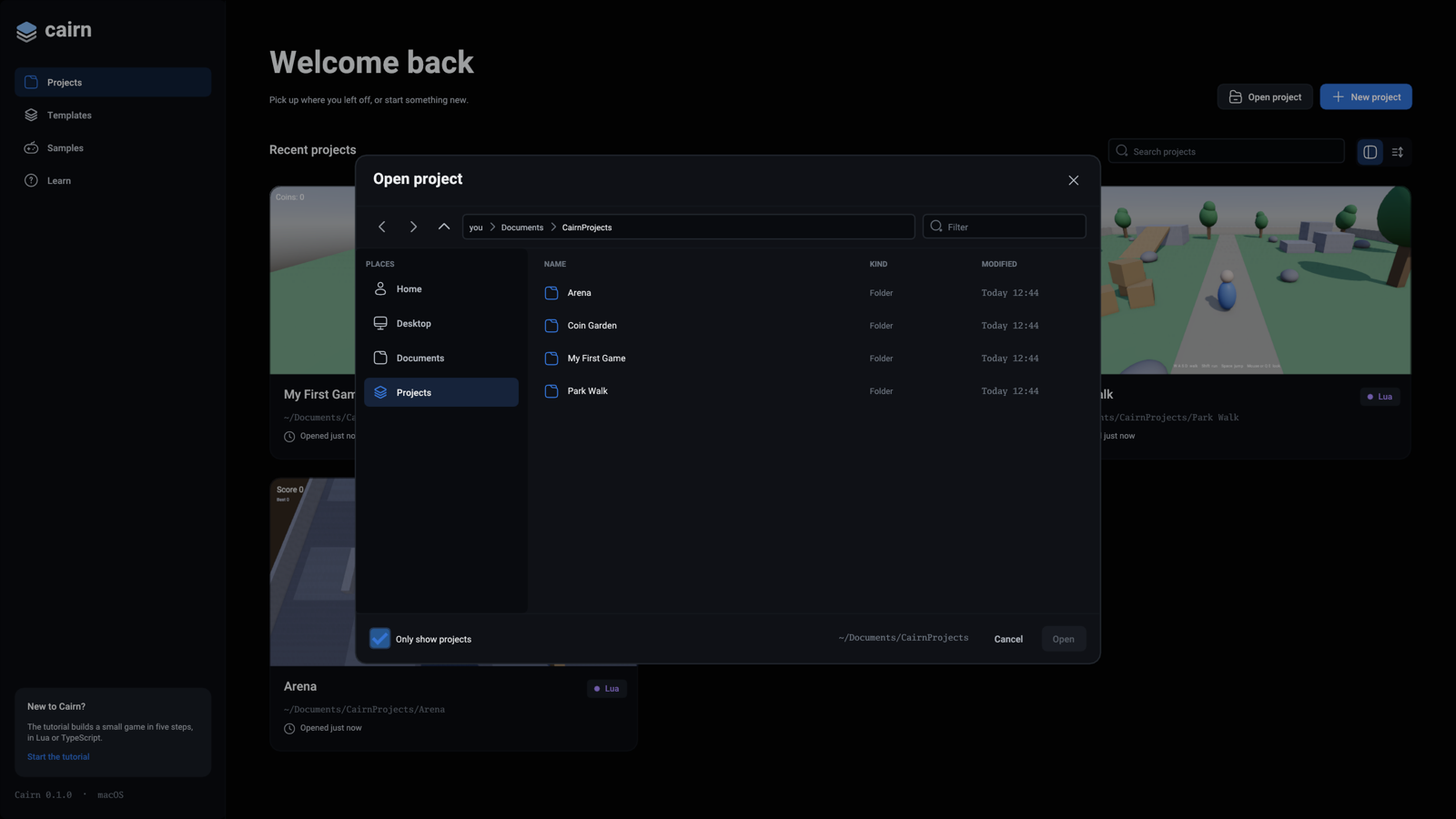
Open project shows the same browser for project files. Places on the left go to your home folder, the desktop, your documents and the folder new projects go in. The arrows go back, forward and up a folder. Each folder in the path above the list is a place to go back to, and Filter narrows the list.
Click a .cairnproject file and press Open, or double-click it. With Only show projects unticked, the browser lists every file, so you can see where you are, though only a project can be opened.
A project made before the engine was called Cairn (a .ssproject file) opens too: the editor renames its files to the new extensions first. See Projects from Safi Studio.
Templates
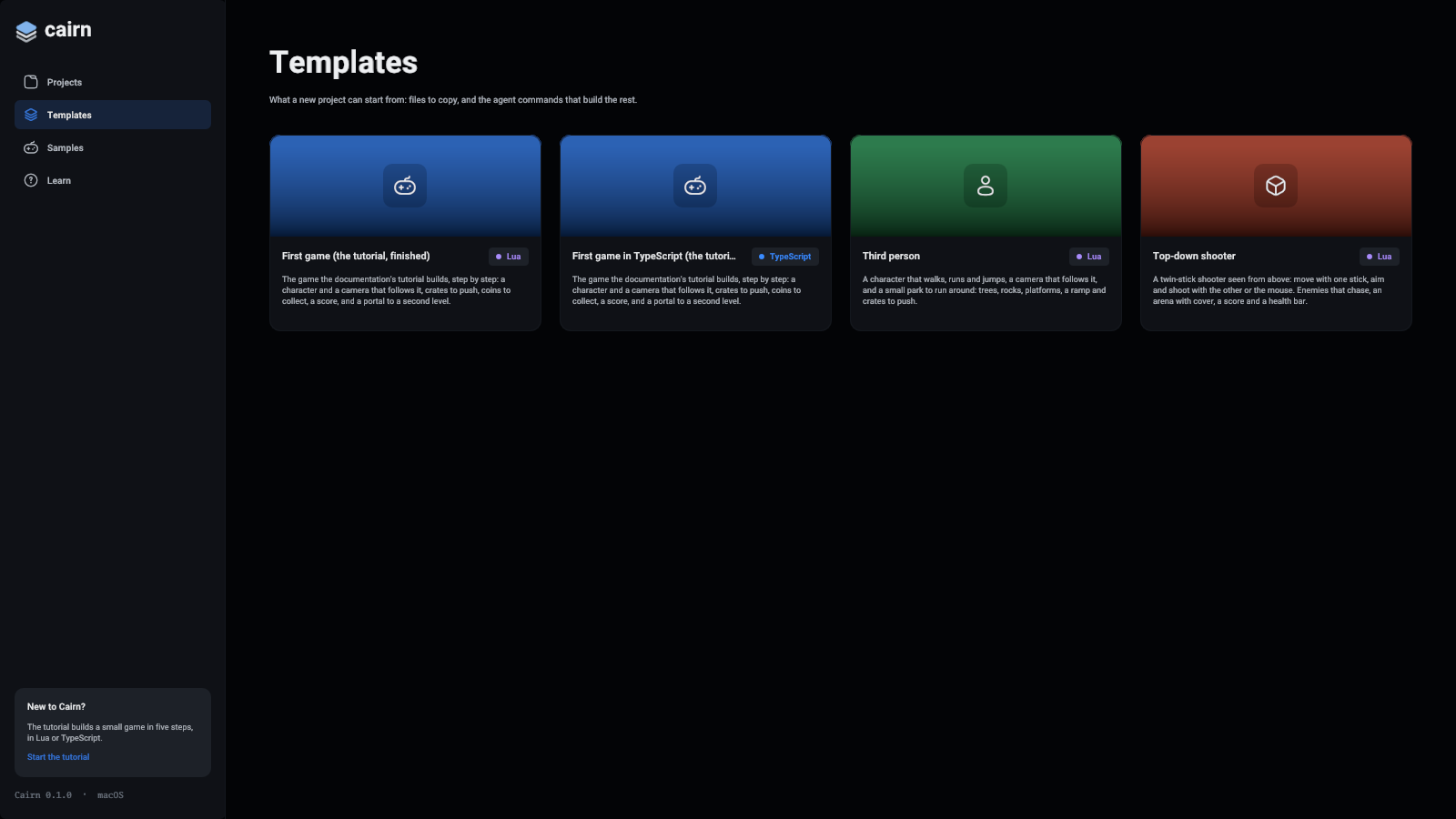
What a new project can start from. Click one to start a new project from it, with its language picked for you. Templates are folders beside the editor, so you can add your own: see Templates.
Samples
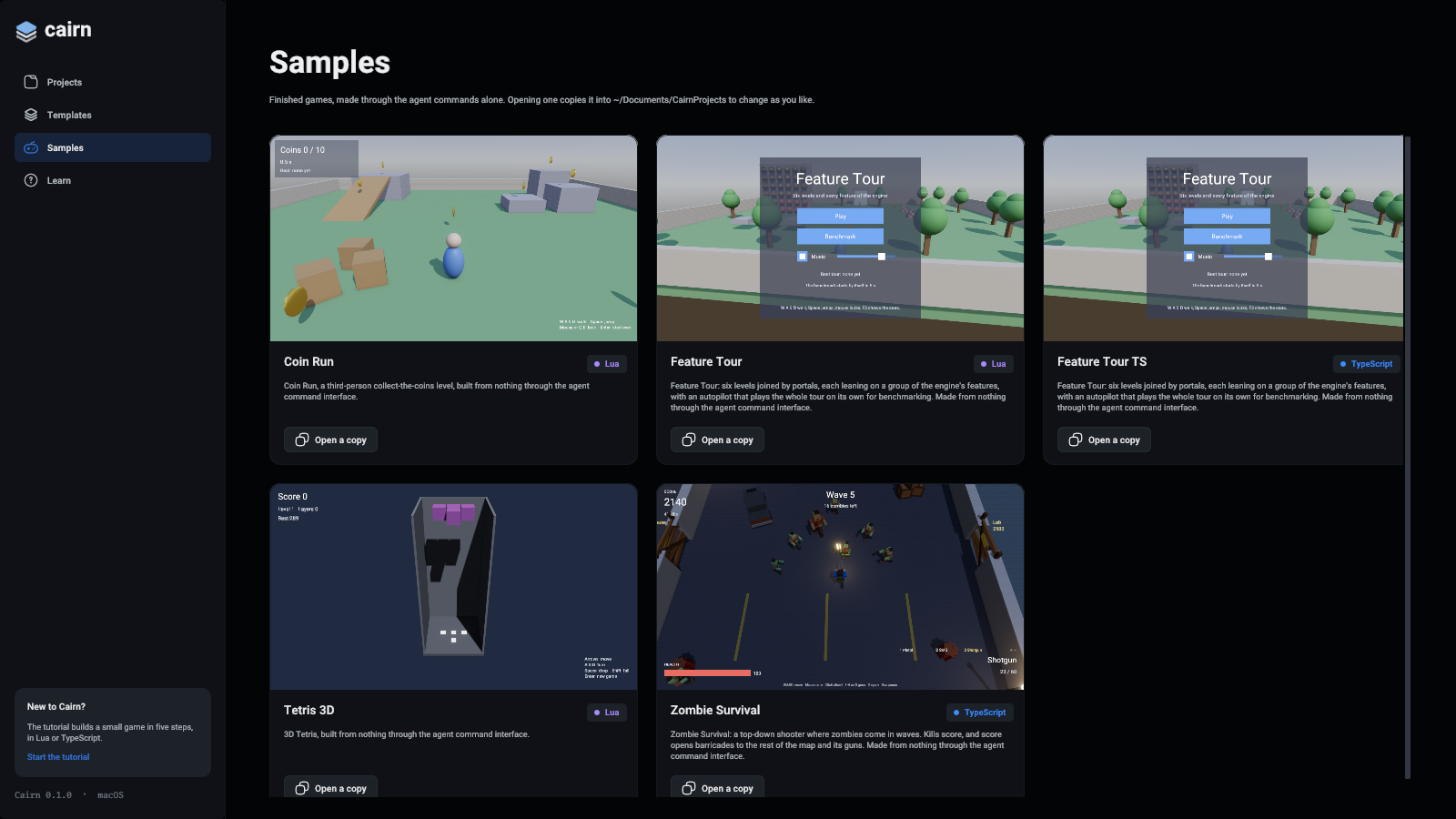
Finished games that come with the editor, each built through the agent commands alone. Open a copy copies the game into your projects folder (~/Documents/CairnProjects) and opens the copy, so the sample stays as it came. Open it again and you get a second copy.
Learn
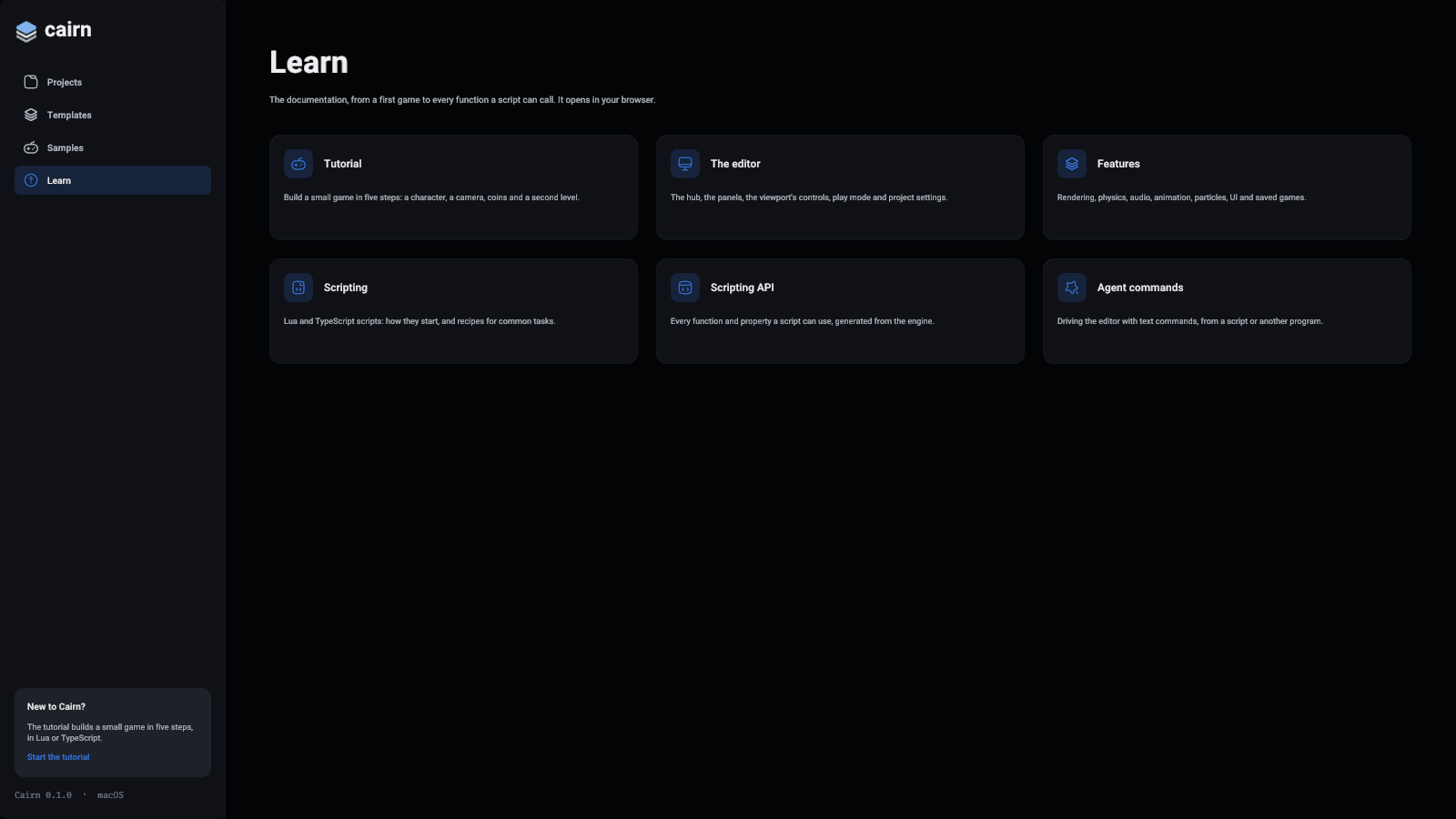
Links into this documentation: the tutorial, the editor, the features, scripting, the scripting API and the agent commands. They open in your browser.
Projects from Safi Studio
The engine was called Safi Studio before it was Cairn. A project from then opens as it did: the editor renames its .ssproject, .ssscene, .ssmat, .ssprefab and .ssanimator files to the .cairn extensions, with their .meta files, and changes the old extensions where its scripts name them. Every asset keeps its ID, so nothing that uses one notices. If a new name is taken already, the editor renames nothing and says which file is in the way.
Your recent projects and window layout are copied from the old settings folder the first time Cairn starts.
For screenshots and tests
--hub-page starts the hub on a page: new, open, folder, templates, samples or learn. --editor-data DIR keeps the recent list and the layout in a folder of your choice. The pictures on this page were taken with them, by Docs/TakeScreenshots.sh: