
The interface
The editor window has a top bar, the hierarchy on the left, the inspector on the right, the viewport in the middle with three tabs under it, and a status bar along the bottom. Drag a panel's tab to move it, or drop it on another panel to share its space. View > Reset Layout puts everything back.
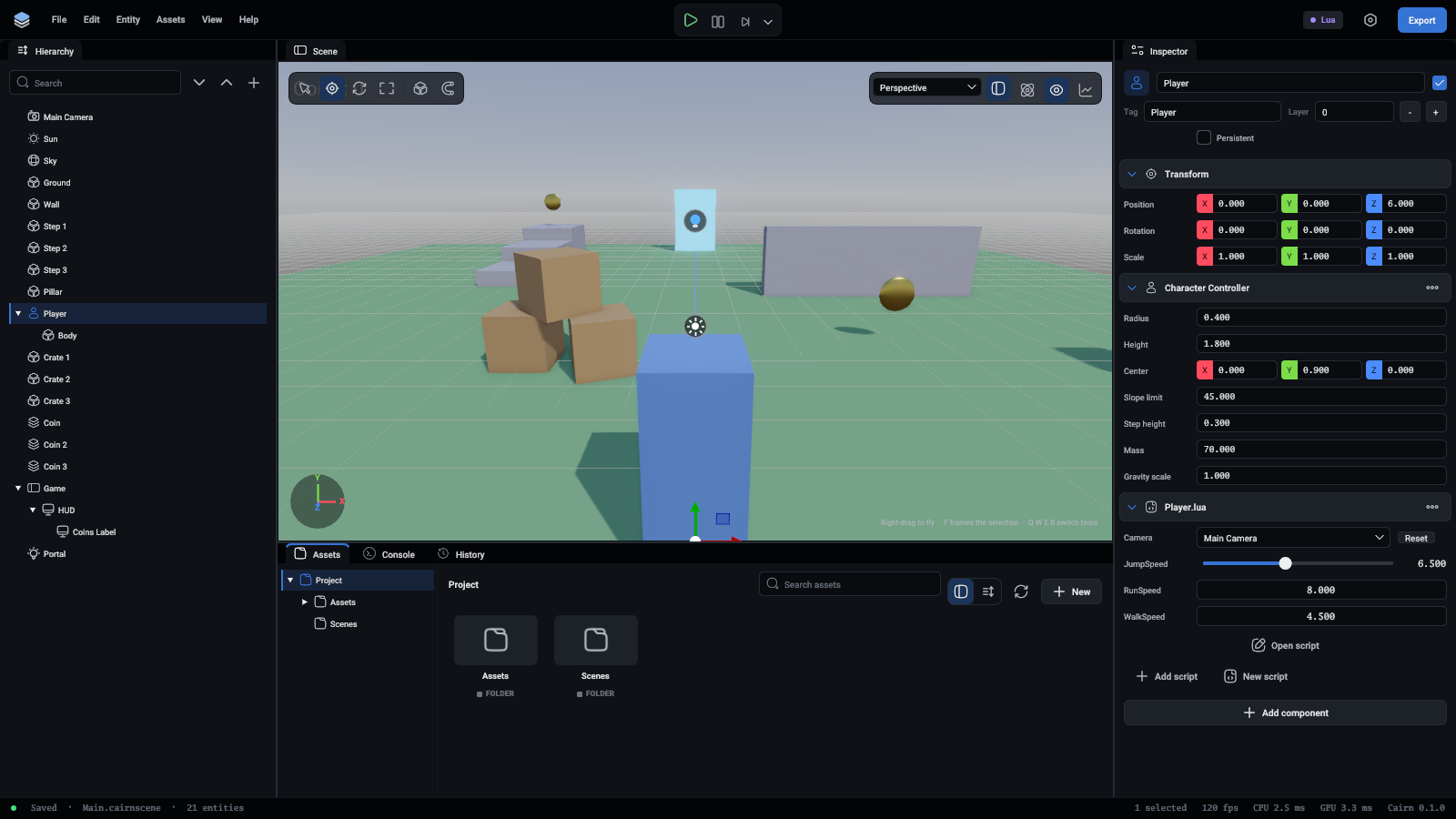
New here? A first look at the editor goes through the areas one by one with a numbered picture.
The areas
Every built-in component, and what each of its fields does, is in Components.
Status bar
Along the bottom. On the left, a dot and whether the scene is Saved, has Unsaved changes, is Playing or is Paused, then the scene's file and how many entities it has. On the right, how many entities are selected, the frame rate, how long the editor's last frames took on the CPU and the GPU, and the version. The frame figures can be switched off in Preferences.
Unsaved changes
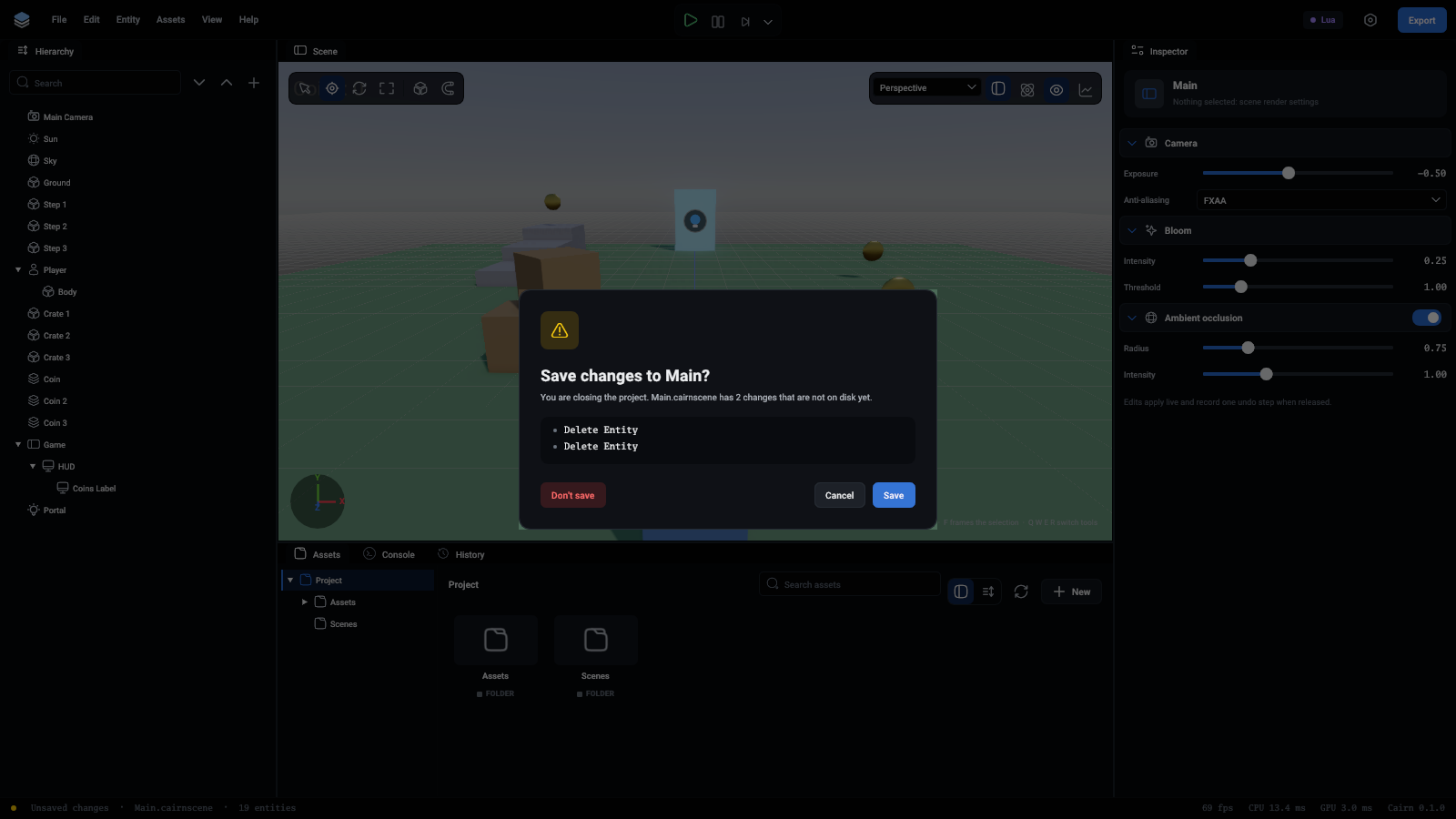
Switching project, opening another scene and quitting ask first when the scene has unsaved changes. The question lists the changes that would be lost, newest last, and offers Don't save, Cancel and Save.
Keys that work everywhere
On macOS use Cmd for Ctrl. Shortcuts lists them all.