
Scenes and entities
Entities
An entity is one thing in a scene. Every entity has:
- a name, shown in the hierarchy
- a tag, for finding groups of entities from scripts
- a layer from 0 to 31, which decides what it collides with
- a transform: position, rotation (Euler angles in degrees) and scale, all relative to its parent
- a parent, or none for an entity at the top level
An entity moves with its parent. Make a table the parent of its legs and moving the table moves all of it.
Untick Active to switch an entity off. It and everything under it is then as good as not there: not drawn, no physics body, no sound, and its scripts stop updating. It keeps its place and its values, and comes back as it was. In the hierarchy it is shown faded. Use it for a door that is not there yet, a menu that is closed, or to try a level without something.
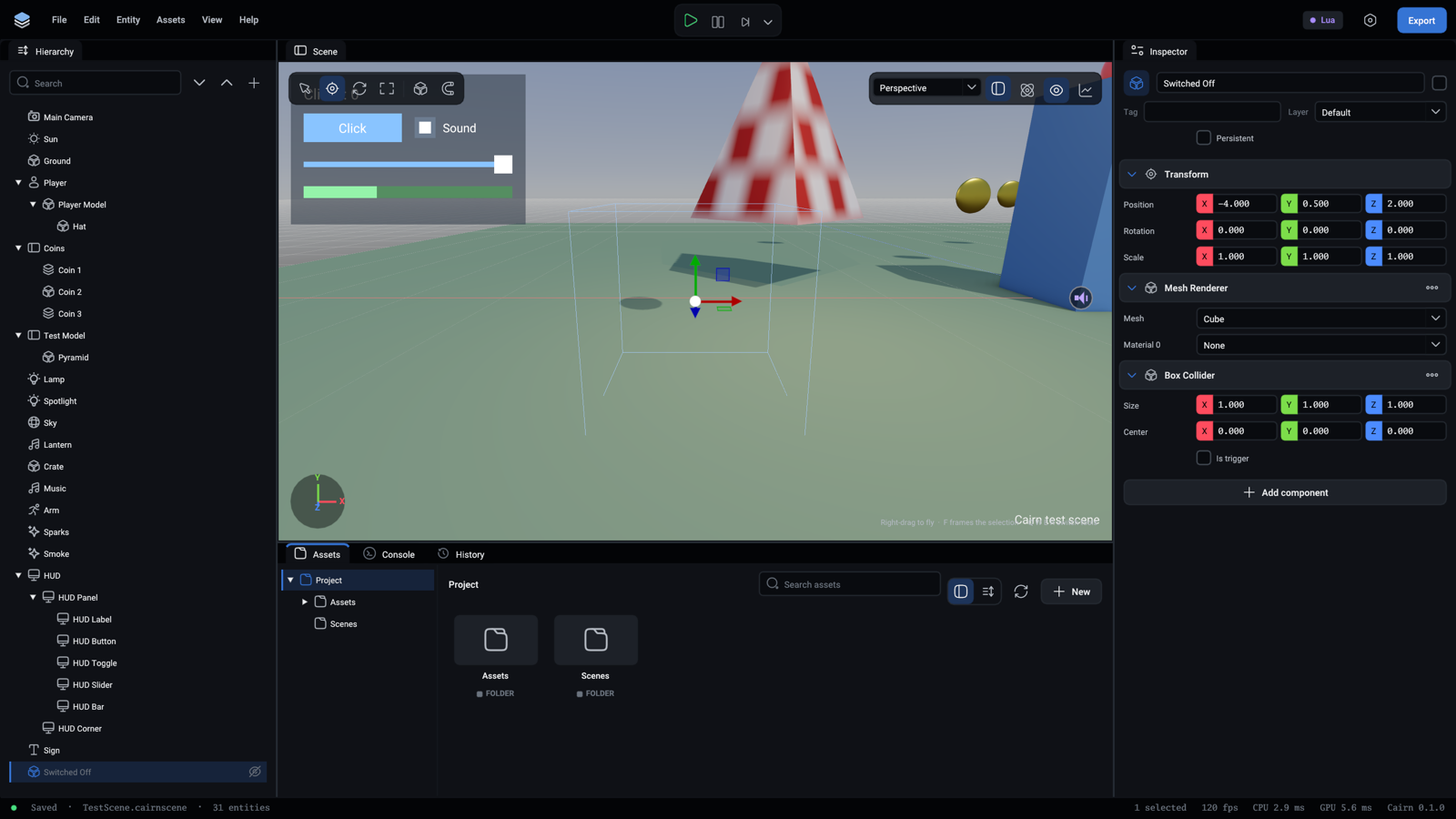
Tick Persistent on a top-level entity to keep it, with its children and running scripts, when a script switches to another scene.
Components
Components give an entity its behaviour. Add them from Add component in the inspector.
Components shows each one in the editor and says what every field does. The scripting API reference lists what scripts can read and set.
Conventions
- Right-handed, with +Y up.
- An entity faces down its own -Z axis. So do cameras and lights.
- Colours in components are linear RGB.
- Light intensity is not in physical units. A directional light at 3 is a bright day.
Scenes
A scene is a file with the .cairnscene extension. Ctrl+S saves the open one.
To make a scene, use New > Scene in the Assets panel. To open one, double-click it there.
The scene a game starts with is set in Project settings.
Render settings
Each scene has its own exposure, bloom, anti-aliasing and ambient occlusion settings. Click an empty part of the viewport so that nothing is selected, and the inspector shows them. An agent uses the scene.settings command.
Limits to know about
- A scene draws at most 16 lights. Extra ones are skipped with a warning.
- Only the first directional light with shadows on casts cascaded shadows. Point and spot lights share twelve shadow maps: one per spot light, six per point light.
- A material with alpha mode
Blendis drawn as opaque for now.