
Audio

Sound is miniaudio. Sound files are .wav, .mp3 or .flac.

Playing a sound

An AudioSource plays a clip from where its entity is.
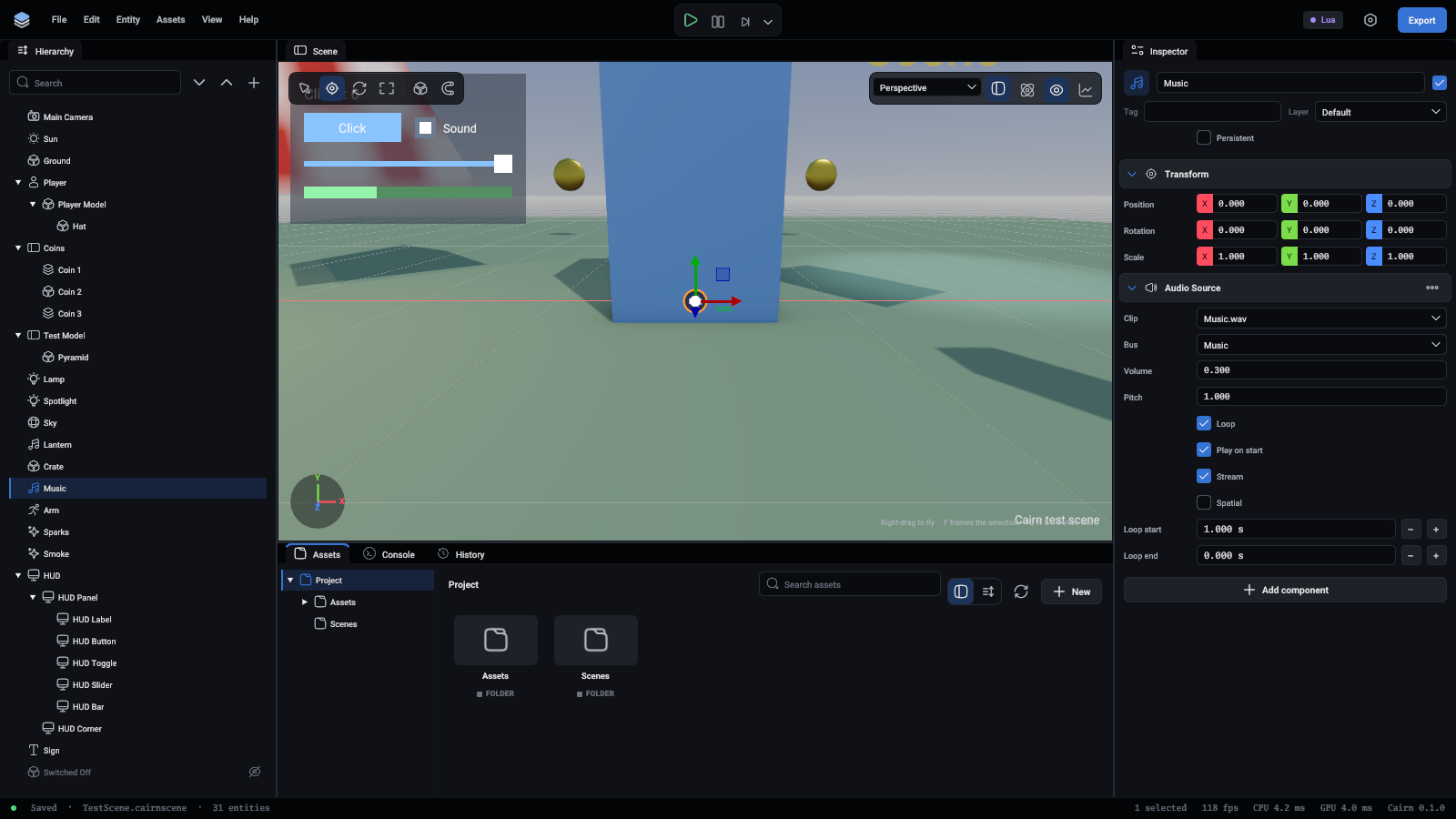
An audio source on the Music bus

FieldMeaning
ClipThe sound file
BusSfx or Music
Volume, Pitch1 is as recorded
LoopStart again at the end
PlayOnStartStart when the scene does
SpatialHeard from the entity's position. Off, it sounds the same everywhere
MinDistance, MaxDistanceFull volume within the first, silent beyond the second
StreamRead from the file as it plays. For music
LoopStart, LoopEndIn seconds, so music can play its opening once and loop the rest
Lua
TypeScript
local source = self.Entity.AudioSource
source:Play()

For a sound that needs no entity:

Lua
TypeScript
local beep = Assets.Find("Assets/Audio/Beep.wav")
Audio.PlayOneShot(beep, 0.6)                      -- everywhere
Audio.PlayOneShot(beep, 1, self.Entity.Position)  -- from a place

The listener

Spatial sounds are heard from the first active AudioListener. With none in the scene, that is the primary camera.

Buses

Every sound plays on Music or Sfx, and both go through Master. Each bus has a volume, a low-pass filter and a reverb, and can be muted.

Lua
TypeScript
Audio.SetVolume("Music", 0.5)
Audio.SetLowPass("Master", 500)   -- muffled, as under water. 0 turns it off
Audio.SetReverb("Sfx", 0.4)       -- the echo of a room
Audio.SetMuted("Music", true)     -- silent, keeping its volume for later

The project sets how each bus starts, on the Audio page of Project settings or with a command:

{"command": "project.set_audio", "master": 1, "music": 0.6, "sfx": 0.9, "music_low_pass": 800, "sfx_reverb": 0.2, "music_muted": false}

Settings.Save() keeps the volumes the player chose. The project's effects and mutes stay as the project sets them.